
RoamPlans · Travel Guides
Travel Technology
Complete Travel Technology Guide for Beginners
Travel technology should make a trip simpler, not fill your phone with dozens of apps you never use. A few well-chosen tools can help you organize bookings, find your way around an unfamiliar city, stay connected, translate signs, check prices in another currency, protect important accounts, and keep essential information available even when your internet connection fails.
When I prepare the technology side of a trip, I start with the phone I already use. I make sure it is ready for international travel, decide how I will get mobile data, download the maps and information I may need offline, check my important accounts, and then add only the apps that solve a real travel problem. I would rather have eight useful tools set up properly than thirty apps competing for storage, battery, notifications, and attention.
This beginner guide explains the main types of travel technology worth considering before a trip, including planning apps, navigation, eSIMs and physical SIMs, VPNs, AI tools, currency and translation apps, travel gadgets, phone preparation, digital security, and offline backups. The supporting guides in this category go deeper into each area so you can choose what actually fits your trip.
Technology Note: Apps, prices, mobile-network support, phone features, and subscription plans change regularly. Check current information from the app developer, mobile carrier, device manufacturer, or service provider before paying for a travel technology product.
Key Takeaways
- Start with your phone setup before buying extra travel gadgets.
- Use technology to solve specific travel problems rather than installing every popular travel app.
- Keep important travel information available offline.
- Download maps before arriving somewhere with unreliable or expensive mobile data.
- Decide how you will connect abroad before leaving home.
- Check whether your phone supports the SIM or eSIM option you want to use.
- A VPN can serve specific privacy or network needs, but it is not automatically required for every traveler.
- Protect your phone because it may contain bookings, email, banking access, maps, and travel documents.
- Keep backup access to important accounts in case your phone is lost or stolen.
- Test important apps before departure rather than learning how they work in an airport.
What Is Travel Technology?
Travel technology includes the digital tools and physical devices that help you plan, manage, and complete a trip.
That can include:
Software
- Travel planning apps
- Navigation apps
- Airline apps
- Hotel apps
- Translation apps
- Currency converters
- AI travel tools
- VPN services
Connectivity
- Mobile roaming
- eSIMs
- Physical SIM cards
- Wi-Fi
- Mobile hotspots
Devices and Accessories
- Smartphone
- Power bank
- Travel adapter
- Charging cables
- Headphones
- Luggage trackers
- Other useful electronics
Not every traveler needs every type.
A short domestic trip may require little more than your normal phone, maps, and airline app.
A three-week international trip across several countries may require:
- Different mobile data arrangements
- Offline maps
- Translation
- Currency conversion
- Several transport apps
- Better charging options
- More careful digital backups
The technology should match the trip.
Start With the Travel Problems You Need to Solve
Before downloading anything, think about what you will actually need help with.
For example:
Problem: I need all my flights and hotels organized.
Possible solution: A travel planning app.
Problem: I will not always have mobile data.
Possible solution: Offline maps and downloaded booking information.
Problem: I do not speak the local language.
Possible solution: A translation app with downloaded language support where available.
Problem: My home mobile plan is expensive abroad.
Possible solution: Compare roaming, travel eSIMs, local physical SIMs, and Wi-Fi.
This prevents your phone from becoming a folder full of apps that solve problems you do not have.
Your Smartphone Is the Main Travel Technology Tool
For most beginner travelers, the smartphone is the center of the entire travel setup.
It may hold:
- Boarding passes
- Flight information
- Hotel bookings
- Maps
- Train tickets
- Payment apps
- Translation
- Currency conversion
- Travel insurance details
- Passport copies
- Emergency contacts
- Photos
That convenience creates a weakness too.
If everything depends on one device and that device disappears, many small problems arrive at the same time.
So the first step is not:
Which travel gadget should I buy?
It is:
Is my phone prepared properly for the trip?
The full setup process is covered in How to Prepare Your Phone for International Travel.
Update Your Phone Before You Leave
Install normal operating-system and app updates before departure when practical.
Do this while you still have:
- Reliable Wi-Fi
- Time to restart the device
- Access to passwords
- Your normal mobile network
Avoid intentionally leaving a major update until you are standing at the airport gate.
Updates can include security fixes and app compatibility changes, but they may also require a restart, additional storage, or another login.
Finish the basic setup before the travel day.
Check Your Available Storage
Travel can create a surprising amount of phone data.
You may download:
- Offline maps
- Language packs
- Music
- Movies
- Boarding passes
- Travel documents
Then you begin taking hundreds of photos and videos.
Check your available storage before leaving.
Remove things you no longer need or move photos and large files to suitable storage.
Running out of space halfway through a trip becomes frustrating when your phone is also being used for navigation and important documents.
Back Up Your Phone Before International Travel
A backup becomes valuable if your phone is:
- Lost
- Stolen
- Damaged
- Reset
- Replaced
Make sure your important information is backed up in a way you can actually recover.
That may include:
- Photos
- Contacts
- Important files
- Device settings
- Notes
Do not assume backup is working because you enabled it several years ago.
Check it.
Also think about how you would access that backup if the phone itself were gone.
Protect the Phone With a Strong Lock
Your travel phone may give access to far more than the device itself.
Someone who gets into it may also reach:
- Banking
- Cloud storage
- Social accounts
- Travel bookings
CISA recommends physically protecting mobile devices and limiting access when devices are outside your direct control.
Use a strong screen lock and suitable biometric security where available.
Avoid using a very easy PIN simply because you expect to unlock the phone frequently during sightseeing.
Prepare Account Recovery Before the Trip
Multi-factor authentication is useful, but travelers sometimes make one phone the only way to prove who they are.
Then the phone gets lost.
Before leaving, check how you would regain access to important accounts.
Depending on the service, this might involve:
- Recovery codes
- Another trusted device
- Backup authentication
- A secure password manager
- A recovery email
Keep recovery information secure.
Do not save the only recovery code as a screenshot on the same phone it is meant to help replace.
Keep Important Travel Information Offline
Mobile data is not guaranteed.
You may temporarily have:
- No signal
- No roaming
- No Wi-Fi
- A network problem
- A dead eSIM
- An app that will not load
Make sure you can still find essential information.
That might include:
- Hotel address
- Flight number
- Booking references
- Insurance assistance number
- Important phone numbers
- Passport details
- First destination address
You do not need to print your entire inbox.
Keep enough information to continue the trip during a temporary connection problem.
Do Not Depend Completely on Screenshots
Screenshots are useful.
They are not always the best long-term system for every travel document.
After several days you may have hundreds of photos and screenshots mixed together.
Use a simple folder or travel-document system for information you expect to need repeatedly.
Screenshots work especially well for things such as:
- Boarding information
- Booking codes
- QR codes when permitted
- Accommodation address
- Transport instructions
Just make sure the screenshot will actually work offline and that the service does not require a live or changing code.
Organize Your Travel Apps Before Departure
Do not leave travel apps scattered across five phone screens.
A simple travel folder can contain:
- Airline
- Accommodation
- Maps
- Transport
- Translation
- Currency
- Planning
- eSIM or carrier app
- Insurance app
This sounds minor.
But when you are standing outside a train station with luggage, being able to find the right app immediately is more useful than having the perfect home-screen design.
Travel Planning Apps
Travel planning apps help bring the pieces of a trip together.
They may help organize:
- Flights
- Accommodation
- Activities
- Reservation details
- Daily plans
- Notes
- Addresses
- Shared group information
For a simple trip, you may be perfectly happy using:
- Calendar
- Notes
- A spreadsheet
You do not need a dedicated planning platform just because other travelers use one.
A dedicated app becomes more useful when the trip includes several:
- Cities
- Flights
- Hotels
- Train journeys
- Bookings
The full comparison belongs in Best Travel Planning Apps for Organizing Your Trip.
Do Not Let the Planning App Become the Trip
There is a point where organizing travel becomes less useful.
You probably do not need to schedule:
9:12 a.m. leave hotel
9:21 a.m. buy coffee
9:37 a.m. take photo
Technology works best when it reduces mental work.
A useful digital itinerary may simply contain:
- Important bookings
- Must-do activities
- Transport
- Addresses
- Flexible ideas
Leave some room for real life.
Keep Booking Information in More Than One Place When It Matters
Your hotel confirmation may live inside a booking app.
What happens if the app:
- Logs you out
- Will not load
- Needs an internet connection
- Has an account problem
For important reservations, keep the key information somewhere else too.
For example:
- Confirmation email
- Offline document
- Screenshot
- Calendar entry
This does not mean creating five copies of everything.
It means one app failure should not leave you standing at reception without the booking details.
Use Calendar Reminders for Time-Sensitive Travel Tasks
Your normal calendar can be one of the most useful travel tools.
You can create reminders for:
- Online check-in
- Train departure
- Hotel checkout
- Ticket release
- Visa appointment
- Tour meeting time
- Rental-car return
Pay attention to time zones when adding events.
A reminder that looked correct at home can become confusing once your phone moves into another local time zone.
Check important times against the booking itself.
Navigation Apps Are One of the Most Useful Travel Tools
A good map app can help with:
- Walking routes
- Driving
- Public transport
- Finding accommodation
- Locating restaurants
- Reaching attractions
- Saving places
For many beginner travelers, navigation is one of the areas where a smartphone changes the trip most.
But do not assume you will always have perfect mobile data.
The supporting guide Best Navigation Apps for Travelers compares the main options and what to consider for different types of trips.
Download Offline Maps Before You Need Them
Google Maps currently allows users to download selected areas for offline use. Google also notes that downloaded maps need to be updated before they expire.
Download the destination while you have reliable internet.
This can help when:
- Roaming has not started
- You are underground
- Mobile reception is poor
- You are trying to reduce data use
Do this before departure or at your hotel.
The time to discover that you forgot the map is not when you are standing outside an unfamiliar airport.
Offline Maps Have Limits
Downloading a map does not always give you every feature available while connected.
Some live information depends on an internet connection.
That may include things such as:
- Current traffic
- Transport changes
- Recently updated business information
- Certain routing features
Treat offline maps as a backup rather than assuming your entire navigation experience will work exactly the same without data.
For an important journey, especially an airport connection, check the route while you still have internet access.
Save Important Places Before the Trip
You do not need to search for the same hotel every time you return to it.
Save:
- Accommodation
- Airport
- Main station
- Attractions
- Car-rental office
- Important meeting locations
You can also save restaurants or places you are considering.
A small collection of saved locations makes it easier to see how the trip fits geographically.
This can also help you notice poor planning.
If your breakfast, museum, dinner, and evening activity are all on opposite sides of the city, the map will make that obvious.
Check the Route, Not Just the Distance
A hotel may look only one mile from a station.
That does not tell you whether the route involves:
- A steep hill
- A river crossing
- Limited pedestrian access
- Several train changes
- A highway
- A long walking route with luggage
Use navigation tools to check how you will actually move between important places.
This is especially useful before booking accommodation.
Download More Than the City Center When Necessary
If your plans include:
- Airport
- Day trips
- Nearby towns
- Rental-car routes
make sure your offline coverage includes those places too.
Downloading only the center of the city may not help when your first journey starts 30 miles away at the airport.
Think about your route rather than only the place where the hotel is located.
Decide How You Will Get Internet Before You Travel
International mobile connectivity usually comes down to several common choices:
- Home carrier roaming
- Travel eSIM
- Local eSIM
- Local physical SIM
- Wi-Fi
- A combination of these
There is no single winner for every traveler.
The right choice depends on:
- Destination
- Trip length
- Phone
- Data use
- Need for calls or SMS
- Price
- Convenience
Make this decision before departure if you expect to need mobile data immediately after landing.
Check Whether Your Phone Is Unlocked
A phone locked to one carrier may limit your ability to use another carrier’s SIM or eSIM.
Do not buy an international SIM plan before checking whether your device and carrier setup support it.
This can be especially important for recently financed phones or carrier-specific agreements.
Check with your current carrier when you are unsure.
Know Whether Your Phone Supports eSIM
eSIM support depends on the device, carrier, and destination.
Apple’s current international-travel guidance says an unlocked compatible iPhone can use supported eSIM providers while traveling, and Apple also supports certain Dual SIM setups that allow a home line and a travel line to be used together.
Other phone manufacturers and carriers have their own support rules.
Check your exact device rather than assuming every modern smartphone supports every eSIM provider.
What Is an eSIM?
An eSIM is a digital SIM that can allow a compatible phone to activate mobile service without inserting another physical SIM card.
For travelers, that can make it easier to buy mobile data before or during a trip.
Depending on your phone and provider, you may be able to:
- Keep your physical home SIM installed
- Add a separate travel data plan
- Switch between lines
But convenience alone does not mean an eSIM is always the cheapest or best option.
Coverage, data allowance, speed, calls, validity, and price still matter.
Physical SIM Cards Still Have Advantages
Physical SIMs have not become useless just because eSIMs exist.
A local physical SIM may still make sense when:
- Your phone does not support eSIM
- Local plans offer better value
- You need a local number
- You will stay for a long time
The disadvantage is that you may need to:
- Find a legitimate seller
- Change the SIM in your device
- Store your home SIM safely
- Complete local registration requirements
The full comparison is covered in eSIM vs Physical SIM for International Travel.
Be Careful With Your Home SIM and Roaming Settings
Using a travel SIM does not automatically mean your home line cannot generate charges.
Before departure, learn how your phone handles:
- Mobile data
- Data roaming
- Default voice line
- Default data line
- SMS
- Automatic network switching
If you use Dual SIM, check which line is responsible for data.
Do not experiment with unfamiliar settings for the first time while roaming internationally.
Check Whether You Need Your Home Number Abroad
Some travelers remove or disable their normal SIM without thinking about what depends on that number.
Your home number may be used for:
- Bank verification
- Account recovery
- Two-factor authentication
- Family contact
Before changing your mobile setup, check which important services still send authentication codes by SMS.
A cheap data plan is less helpful if you lock yourself out of your bank account.
Do Not Judge a Travel Data Plan by Gigabytes Alone
Two plans may both advertise 10 GB.
That does not make them identical.
Check:
- Countries covered
- Network
- Validity period
- Whether calls or SMS are included
- Hotspot support
- Speed limits
- What happens after the allowance ends
- Activation rules
Also check whether the validity begins when you purchase the plan or when you first connect.
Small details can matter more than an extra gigabyte you never use.
Download the eSIM Before Flying When Possible
If your provider allows it, setting up the eSIM before departure can remove one airport-arrival task.
You may still need to wait until arrival to enable the correct line or connect to the destination network.
Keep the provider’s installation information accessible.
Do not delete an installed eSIM casually if you are having connection problems.
Some providers may limit how often an eSIM profile can be installed.
Check their instructions before removing anything.
Hotel and Airport Wi-Fi Still Matter
Mobile data does not remove the value of Wi-Fi.
Wi-Fi can help with:
- Large downloads
- Video calls
- Device updates
- Backups
- Entertainment
- Saving mobile data
But confirm that you are connecting to the intended network.
CISA recommends confirming the official network name and password before joining public Wi-Fi so you do not accidentally connect to an untrusted access point.
Ask hotel, lounge, café, or airport staff if the network name is unclear.
Public Wi-Fi Is More Nuanced Than Many Travel Articles Suggest
You may have seen warnings saying:
Never use public Wi-Fi without a VPN.
That is too simple.
The FTC says the widespread use of encrypted websites means public Wi-Fi is generally safer than it once was, especially when the site uses HTTPS.
That does not mean every network should be trusted without thought.
Use sensible habits:
- Confirm the network.
- Keep software updated.
- Avoid suspicious security warnings.
- Use encrypted websites.
- Protect your accounts.
- Disconnect from networks you do not need.
What Does a VPN Do for Travelers?
A VPN creates an encrypted connection between your device and the VPN service.
Travelers may use one for reasons such as:
- Extra network privacy
- Connecting through a chosen server location
- Using specific work systems
- Reducing exposure to a local network
But a VPN does not make you immune to:
- Phishing
- Fake websites
- Weak passwords
- Malware
- Stolen devices
- Scams
If you willingly enter your password into a fake website, a VPN does not make that fake website legitimate.
Do All Travelers Need a VPN?
No.
A VPN can be useful for some travelers, but I would not treat it as a mandatory travel purchase.
Your decision can depend on:
- The networks you expect to use
- Work requirements
- Privacy preferences
- Destination
- Services you need to access
If you decide to use one, choose based on clear criteria rather than buying the first VPN that pays a travel influencer to recommend it.
The supporting article Best VPNs for Travelers: When You Need One and What to Look For will cover that decision in detail.
Test Your Connectivity Setup Before You Depend on It
Technology problems become harder when you are tired and in an unfamiliar place.
Before the trip, check that you know:
- Where mobile-data settings are
- How to switch SIM lines
- How to enable or disable roaming
- Where your eSIM information is stored
- How to connect to Wi-Fi
- How to access offline maps
You do not need to become a phone technician.
You just need to know the settings most likely to matter while traveling.
Have a Plan for the First Hour After Landing
Think about what your phone needs to do immediately.
You may need:
- Mobile data or airport Wi-Fi
- Immigration or entry information
- Baggage information
- Airport transport
- Hotel address
- Payment
- Navigation
Make those tools easy to reach.
Your first hour abroad should not depend on remembering which folder contains the eSIM app you installed three months earlier.
AI Travel Planning Tools
AI can help with the early and middle stages of trip planning.
You can use an AI travel tool to help with tasks such as:
- Brainstorming destinations
- Building a first itinerary
- Grouping attractions by area
- Comparing different trip styles
- Creating packing ideas
- Estimating how much time activities may need
- Finding questions you still need to research
- Turning scattered notes into a clearer plan
AI is especially useful when you know roughly what you want but have not organized it yet.
For example, instead of searching dozens of separate questions, you might ask:
Build a four-day Rome itinerary for a first-time visitor. Keep each day geographically practical and leave one free afternoon.
That gives you something to review and improve.
AI should help you create the plan.
It should not make every final travel decision for you.
Use AI as a Planning Assistant, Not the Final Authority
Travel information changes constantly.
An AI response may contain information that is:
- Outdated
- Incomplete
- Based on the wrong location
- Missing a seasonal closure
- Incorrect about an entry rule
- Based on an old price
OpenAI’s current search capabilities can provide timely web information with links to sources, showing how newer AI tools can combine conversational planning with current web research. (openai.com)
Even when an AI tool can search the web, verify the parts of your trip where an error would create a real problem.
That includes:
- Visa requirements
- Passport rules
- Travel Advisories
- Flight schedules
- Train times
- Attraction opening hours
- Ticket requirements
- Health advice
- Local laws
For those details, go back to the airline, government agency, attraction, transport operator, or another authoritative source.
Give AI Specific Travel Information
A vague prompt usually produces a vague itinerary.
Instead of:
Plan my trip to Japan.
give useful details.
For example:
Plan seven days in Tokyo and Kyoto for a first-time traveler. My budget is moderate. I like food, neighborhoods, and cultural attractions. I do not want more than three major activities per day, and I will use public transport.
Useful details can include:
- Destination
- Number of days
- Budget
- Interests
- Travel style
- Who is traveling
- Pace
- Transport preference
- Accommodation area
- Activities you want to avoid
The more useful context you provide, the easier it becomes to create a plan that actually fits you.
Ask AI to Improve an Existing Itinerary
You do not have to use AI only to create a trip from zero.
Sometimes it is more useful as an editor.
You could provide your existing plan and ask:
- Are these attractions too far apart?
- Which day looks overloaded?
- Can these places be grouped better?
- Where should I add a rest period?
- Which activities need advance tickets?
- What important planning question have I missed?
This can help identify weaknesses before you start booking.
The supporting article Best AI Travel Planning Tools will compare tools based on the travel problems they actually help solve rather than simply listing every AI product available.
Do Not Let AI Overfill Your Days
AI can generate a long itinerary in seconds.
That does not mean you can realistically complete it.
A plan may look efficient while ignoring:
- Queues
- Meals
- Hotel-to-attraction travel
- Jet lag
- Delays
- Rest
- Weather
- Time spent enjoying a place
Always review an AI itinerary as a human schedule.
If every day contains six major attractions across different parts of a city, remove some.
Technology should make your trip more realistic, not turn it into a race.
Verify AI Recommendations on a Map
If an AI tool recommends:
Museum → lunch → market → viewpoint → dinner
open your navigation app and look at the locations.
You may discover that the plan crosses the city several times.
A simple map check can help you:
- Group nearby attractions
- Reduce unnecessary transport
- Choose a better restaurant area
- See whether your hotel location works
- Build easier days
AI and maps work better together than either tool used alone.
Currency Converter Apps
Foreign prices can be confusing during your first few days in another country.
A currency converter can help answer simple questions such as:
How much is 2,500 yen in my home currency?
or:
Is this taxi fare closer to $10 or $50?
That can help when comparing:
- Hotels
- Restaurant prices
- Transport
- Shopping
- Attraction tickets
A converter is especially helpful when the exchange rate is difficult to calculate mentally.
A Currency Converter Shows an Estimate, Not Always Your Final Cost
Do not assume the number shown by a currency app will be exactly what appears on your bank statement.
Your final cost can also depend on:
- Your card issuer
- Currency conversion fees
- ATM fees
- Merchant conversion
- The rate used when the transaction is processed
Use the app as a planning and comparison tool.
Then check your bank or card terms to understand what you may actually pay.
This distinction matters when making larger purchases.
Update Exchange Rates Before Going Offline
Some currency apps can store recent rates for use without an internet connection.
That is useful when you:
- Have no mobile data
- Cross a border
- Visit a market
- Are traveling somewhere with weak reception
But an offline rate does not update itself while your phone is disconnected.
Refresh the rates before a travel day when you expect to be offline.
For normal small purchases, a slightly older rate may still be enough to understand the rough price.
For a significant financial decision, check a current rate.
Learn a Few Rough Conversions Too
You should not need to unlock your phone every time you buy a bottle of water.
After arriving, learn a few simple reference points.
For example:
100 local currency ≈ X at home
1,000 local currency ≈ X at home
This makes daily spending faster.
Use your converter when you need a more accurate comparison.
The supporting guide Best Currency Converter Apps for Travelers will focus on offline use, ease of conversion, multiple currencies, and practical travel features.
Be Careful With Dynamic Currency Conversion
Some card terminals or ATMs may offer to charge you in your home currency instead of the local currency.
The screen may make this look easier because you immediately recognize the amount.
Convenience does not automatically mean the conversion is financially better.
Check:
- The exchange rate shown
- Any disclosed fees
- Your own bank or card terms
Do not select an unfamiliar currency option quickly because people are waiting behind you.
Take a moment and read the screen.
Translation Apps
Translation technology can make international travel much easier.
A good translation app may help with:
- Typed text
- Spoken phrases
- Menus
- Signs
- Instructions
- Conversations
- Images containing text
Google Translate currently supports text, speech, handwriting, photos, and other translation methods, and some languages can be downloaded for offline use. (support.google.com)
You do not need to speak the local language fluently to benefit from learning a few phrases while using technology for the harder parts.
Download the Language Before You Need It
If your translation app supports offline language packs, download the language before departure or while connected to reliable Wi-Fi.
Google currently allows supported languages to be downloaded in its Translate app so they can be used without an internet connection. (support.google.com)
This can help:
- Immediately after landing
- Underground
- In rural areas
- During mobile-data problems
Not every language or feature necessarily works offline in exactly the same way.
Test what you need before relying on it.
Camera Translation Can Be Very Useful
Camera translation can help with things such as:
- Menus
- Signs
- Ticket machines
- Product labels
- Instructions
Google states that downloaded languages may also support camera translation for some language combinations. (support.google.com)
Use it as a practical aid rather than expecting a perfect translation of every sentence.
Short and clear text usually gives you more useful context than complicated writing.
Translation Apps Can Make Mistakes
Automatic translation is useful, but language can depend heavily on context.
A sentence may have:
- Several meanings
- Formal and informal versions
- Local expressions
- Cultural context
Be especially careful when the translation affects something serious.
For example:
- Medical treatment
- Allergies
- Legal matters
- Immigration
- Police reports
For high-stakes communication, use qualified human assistance where it is available.
A translation app can help you begin the conversation.
It should not automatically be trusted as the only interpretation of an important legal or medical statement.
Learn a Few Basic Phrases Anyway
Technology should support communication rather than replace every attempt to communicate.
Learning a few phrases can help with:
- Hello
- Thank you
- Please
- Excuse me
- Yes
- No
- Help
- Where is…?
- I do not understand
You may still use the app for the rest.
A few local words plus a translation app often works better than staring silently at a screen for every interaction.
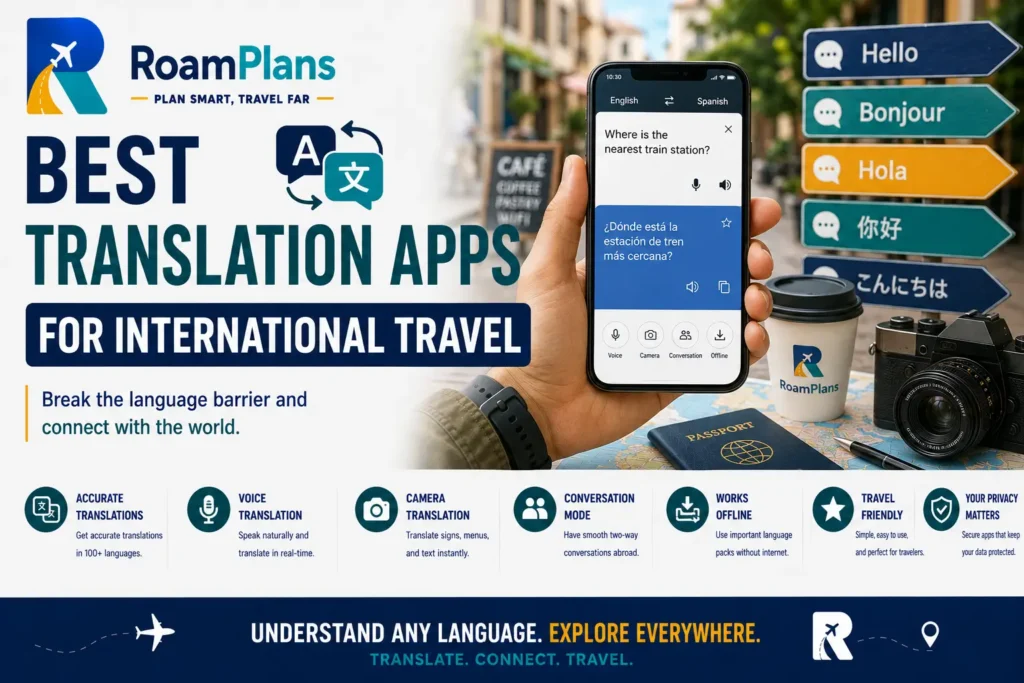
The supporting guide Best Translation Apps for International Travel will compare the most useful features for travelers.
Essential Travel Gadgets
Travel technology is not limited to software.
A few physical items can make your phone and other devices easier to use during a trip.
The most useful gadgets depend on what you already own.
For many international travelers, the basic list may include:
- Charging cable
- Wall charger
- Travel adapter
- Power bank
- Headphones
- Luggage tracker where useful
You do not need a separate gadget for every travel inconvenience.
Start with the items that solve a repeated problem.
A Travel Adapter and a Voltage Converter Are Different
This is an important beginner distinction.
A plug adapter helps a plug physically fit a different type of wall outlet.
It does not automatically change the electrical voltage supplied by that outlet.
Before using an electrical device abroad, check:
- Its voltage rating
- The destination’s electrical system
- Whether you only need a plug adapter
- Whether the device itself supports the destination voltage
Many modern phone and laptop chargers are built for a range of input voltages, but check the label on your actual charger rather than assuming.
Devices such as certain hair tools or older appliances may require more attention.
Check Your Charger Before Buying Extra Equipment
Look at the small text on your charger.
If it already supports the voltage used at your destination, you may only need the correct plug adapter.
This is one reason I prefer checking existing equipment before buying a large universal travel-electronics kit.
You may already own most of what you need.
Choose a Travel Adapter for Your Actual Destinations
A universal adapter can be convenient on a multi-country trip.
A small single-region adapter may be enough for a simple trip.
Consider:
- Countries visited
- Number of devices
- USB ports
- Plug type
- Size
Do not buy an adapter because the packaging says:
Works worldwide
without checking whether it supports the countries and equipment in your itinerary.
Keep Your Charging Setup Simple
Every extra cable is another item to lose.
If several devices can safely share the same charging standard, you may be able to reduce what you carry.
A simple setup might include:
- One wall charger
- One travel adapter
- Main phone cable
- One spare cable
- Power bank
Your needs may be different if you carry:
- Laptop
- Camera
- Smartwatch
- Tablet
- Several phones
Lay everything on a table before packing.
You may notice that you are carrying four chargers that perform almost the same job.
Power Banks Can Be Extremely Useful
A power bank is useful when your phone is handling:
- Navigation
- Photos
- Tickets
- Translation
- Mobile data
A long sightseeing day can use much more battery than an ordinary day at home.
A power bank becomes especially helpful during:
- Long flights
- Train journeys
- Hiking
- Festivals
- Full-day tours
But airline battery rules matter.
Power Banks Belong in Carry-On Baggage Under U.S. Aviation Rules
FAA guidance updated in 2026 says spare lithium batteries, including power banks and portable chargers, must be carried in carry-on baggage and cannot be placed in checked baggage. (faa.gov)
If your carry-on bag is taken from you at the gate and checked, remove spare batteries and power banks first.
FAA rules also place additional limits on larger-capacity batteries. (faa.gov)
For international trips, also check:
- Your airline
- Departure-country rules
- Connecting-airport requirements
Do not assume every battery product can travel simply because it fits inside your suitcase.
Check Power Bank Capacity Before Flying
Power banks usually show their capacity on the device.
Keep that label readable.
Very large batteries can fall under additional airline or aviation restrictions.
If you are buying a power bank mainly for travel, choosing a normal portable size designed for phones is generally easier to manage than carrying a huge battery station.
Check the current airline rules before departure if you are unsure.
Do Not Buy the Largest Power Bank Automatically
More capacity usually means:
- More weight
- More size
- Longer charging time
Think about your actual use.
For an ordinary city trip, you may only need enough battery to keep your phone alive through a long sightseeing day.
If you are camping or working remotely, your needs may be much higher.
Buy for the trip you actually take.
Charge Important Devices Before Travel Days
A power bank should be backup power.
It should not become the reason you leave the hotel every morning with your phone at 12%.
Before a flight, day trip, or long train journey:
- Charge your phone.
- Charge your power bank.
- Charge other essential devices.
This gives you more options if the day becomes longer than expected.
Luggage Trackers
Small item trackers can help you see the location of compatible tagged belongings through their associated network.
Apple currently describes AirTag as a tool for tracking personal belongings such as keys and backpacks through the Find My app. (support.apple.com)
Travelers sometimes place trackers inside:
- Checked luggage
- Backpacks
- Camera bags
A tracker can help you understand where an item appears to be.
It does not guarantee that you can personally recover it.
A Tracker Does Not Replace Airline Baggage Procedures
If an airline loses your checked bag, still follow the airline’s lost-baggage procedure.
A tracker showing a location can provide additional information.
It does not replace:
- Baggage claim tag
- Airline report
- Lost baggage reference
- Official recovery process
Do not enter restricted airport areas or confront someone simply because your tracking app shows a bag nearby.
Use the location information through the appropriate airline, airport, or police process.
Test a Tracker Before the Trip
Do not put a new tracker inside your suitcase ten minutes before leaving home.
Set it up first.
Check:
- It appears in the correct app.
- The battery is working.
- You understand how to find it.
- Alerts are configured the way you want.
Apple’s Find My system currently allows users to locate compatible items and can provide separation alerts for supported items. (support.apple.com)
Learning those controls at home is easier than learning them at baggage claim.
Headphones Can Be a Useful Travel Tool
Headphones can help with:
- Flights
- Trains
- Translation audio
- Calls
- Entertainment
- Work
Noise-reducing or noise-canceling headphones can also make long transport more comfortable for some travelers.
But stay aware of your surroundings when walking through:
- Streets
- Stations
- Airports
- Crowded areas
Travel technology should not remove the awareness you need to move safely.
Think About What Happens if a Gadget Breaks
Before carrying a gadget, ask:
If this stops working, does my trip stop working too?
If yes, create a backup.
For example:
Phone charger fails: spare cable or ability to buy another.
Tracker fails: airline baggage tag still matters.
Translation app fails: essential address saved in writing.
Map app fails: hotel address and basic route available offline.
You do not need two of every gadget.
Focus your backups on things that would cause a real travel problem.
Do Not Carry Technology Just Because It Is Called a Travel Gadget
Many products are marketed specifically to travelers.
That does not mean they belong in your bag.
Before buying something, ask:
- What problem does this solve?
- Do I already own something that solves it?
- How often will I use it?
- Does it add significant weight?
- Will I have to charge it?
- Can I easily replace it during the trip?
If you cannot identify the problem, you probably do not need the gadget.
The supporting guide Essential Travel Gadgets for International Travel will focus on useful items rather than filling a suitcase with electronics.
Build an Offline Travel Backup
Once your apps and gadgets are prepared, create a small offline backup.
This might include:
- Hotel address
- Flight information
- Important transport booking
- Insurance assistance number
- Emergency contacts
- Passport information
- Destination map
- Translation language pack
Your phone can still be the main travel tool.
The offline layer simply means a temporary internet problem does not immediately become a travel emergency.
Test Offline Features Before Leaving Home
Turning on airplane mode is an easy test.
Then try opening:
- Your downloaded map
- Translation language
- Hotel address
- Booking details
- Important documents
If something does not work, fix it while you still have reliable internet.
Do not assume a file is offline merely because you can see it inside an app while connected.
Keep Your Technology Setup Easy Enough to Remember
A complicated travel setup can create more work than it saves.
If your system requires:
- Six passwords
- Four planning apps
- Three cloud folders
- Two map apps
- Constant switching between SIMs
you may have built too much.
The best travel technology setup is one you understand.
For a beginner, that may simply be:
One planning system + one navigation app + one connectivity plan + one translation app + one currency tool + a simple charging setup.
Add more only when your trip creates a real reason.
Protect the Digital Side of Your Trip
Once your phone becomes your map, wallet, ticket holder, translator, camera, and booking center, digital security becomes part of normal travel preparation.
You do not need complicated cybersecurity knowledge.
Focus on a few basics:
- Keep the device physically secure.
- Use a strong screen lock.
- Protect important accounts.
- Keep software reasonably current.
- Be careful with unexpected links and messages.
- Prepare a way to recover access if your phone disappears.
CISA recommends strong passwords, multi-factor authentication, phishing awareness, and protecting devices from unauthorized physical access.
Use Unique Passwords for Important Accounts
Using the same password everywhere creates a bigger problem if one account is compromised.
Pay particular attention to:
- Main email
- Banking
- Cloud storage
- Travel-booking accounts
- Password manager
Your email is especially important because it may be used to reset passwords for other services.
A password manager can make unique passwords easier to handle if you are comfortable using one.
CISA recommends strong passwords and password managers as basic account-protection measures.
Turn On Multi-Factor Authentication Where It Makes Sense
Multi-factor authentication adds another step before someone can access an account.
That can be useful for:
- Banking
- Cloud storage
- Other important services
But set up recovery options before travel too.
Google, for example, recommends adding recovery information so users have another way to regain access if they become locked out of an account.
Do not create a security system where your stolen phone is also the only device capable of approving your login.
Be Ready to Find or Lock a Lost Phone
Do this before the phone disappears.
Apple’s Find My system can be used to locate compatible Apple devices and mark them as lost, while Google’s Find Hub provides tools for finding and securing supported Android devices.
Check that the relevant feature is enabled on your device.
Also make sure you know:
- Your account login
- Your recovery method
- How you would access the service from another device
A lost-phone feature that you have never set up is much less useful during an actual problem.
Android Users Can Prepare Offline Finding
Google’s current Android guidance includes options for finding supported devices through Find Hub, including settings for locating offline devices.
Check the feature before departure rather than assuming it is already active.
The exact settings can depend on your phone and Android version.
iPhone Users Can Review Stolen Device Protection
Apple also offers Stolen Device Protection on supported iPhones.
It can require additional authentication for certain sensitive actions, particularly when the device is away from familiar locations.
If you use an iPhone, review the feature before your trip and decide whether its settings fit the way you travel.
Again, the useful time to learn about these controls is at home.
Do Not Chase a Stolen Phone Because a Map Shows Its Location
Location tools can help you understand where a missing device may be.
They do not mean you should personally confront someone who may have stolen it.
If theft is involved:
- Secure the device.
- Protect affected accounts.
- Contact your mobile provider where needed.
- Report the theft through the appropriate local process.
A phone can be replaced.
Avoid turning device recovery into a physical safety problem.
Keep Your Phone Number and Device Details Somewhere Else
It can help to keep selected information outside the phone itself.
For example:
- Mobile carrier contact details
- Device model
- Important account information
- Insurance details if the device is covered
Do not store highly sensitive passwords in an unsecured document.
The goal is simply to avoid needing the missing phone to find every piece of information required to deal with the missing phone.
Be Careful With Phishing While Traveling
Travel creates many legitimate messages:
- Airline updates
- Hotel messages
- Booking confirmations
- Bank alerts
- eSIM emails
- Train tickets
That makes fake messages easier to overlook.
CISA warns users to be cautious with unexpected links and attachments because phishing often tries to steal personal information or login details.
If you receive:
Your flight has been canceled. Click here immediately.
do not automatically use the link.
Open the airline’s official app or website separately and check the booking.
Use the same habit for:
- Hotels
- Banks
- Mobile providers
- Booking platforms
Verify Apps Before Installing Them
Travelers sometimes install an unfamiliar app after scanning a QR code in:
- An airport
- A taxi
- A restaurant
- A hotel
- A tourist attraction
Before installing anything, check that you have the legitimate app.
Look at:
- Developer name
- Official website
- App-store listing
- Reviews and update history where useful
Do not install software merely because a random sign or message tells you that it is required.
If an airline, hotel, or transport company genuinely requires an app, you should be able to verify it through that company’s official channels.
Review App Permissions
Travel apps may request access to:
- Location
- Camera
- Microphone
- Photos
- Bluetooth
- Contacts
Some permissions make sense.
A map app may need location.
A camera-translation feature may need camera access.
That does not mean every app needs access to everything.
Review permissions and give apps only the access you are comfortable with and that the feature genuinely requires.
Public Wi-Fi Requires Sensible Habits, Not Panic
Public Wi-Fi gets a lot of dramatic travel advice.
The FTC currently says most websites use encryption, making public Wi-Fi generally safer than it was in the past.
Still:
- Confirm the correct network.
- Look for HTTPS on websites.
- Keep software updated.
- Avoid suspicious warnings.
- Do not download unexpected files.
- Disconnect when you no longer need the network.
CISA also recommends confirming the official Wi-Fi network name and password before connecting.
Mobile Data Can Be a Good Alternative to Unknown Wi-Fi
If you have working mobile data, you may prefer using it instead of joining every café or station network you see.
An older but still relevant CISA travel-security guide describes mobile-network connections as generally preferable to unknown public wireless networks from a security standpoint.
That does not mean public Wi-Fi is automatically unsafe.
It means you have options.
You do not need to connect to every free network simply because it exists.
Be Careful With Unknown USB Charging Connections
Your battery reaches 5% at the airport and you see a free USB port.
Before plugging in, remember that a USB cable can carry data as well as electricity.
CISA has advised travelers to be cautious about connecting devices to computers or charging stations they do not control.
A simple alternative is to use:
- Your own wall charger
- Your own charging cable
- Your power bank
where practical.
Keep Bluetooth and Sharing Features Under Control
Bluetooth is useful for:
- Headphones
- Watches
- Trackers
- Car systems
You do not have to leave every wireless-sharing feature enabled all the time.
CISA travel guidance recommends turning off Bluetooth when it is not needed.
Use the features you need.
Disable unnecessary connection or sharing options when they serve no purpose.
Manage Battery Use Before It Becomes a Problem
Travel days can drain a phone much faster than normal.
Your phone may be simultaneously using:
- GPS
- Mobile data
- Camera
- Translation
- Bright screen
- Transport apps
Pay attention to battery earlier in the day.
Useful habits include:
- Start with a charged phone.
- Carry a charged power bank when needed.
- Reduce unnecessary screen brightness.
- Close or limit apps you do not need.
- Use offline maps where practical.
- Charge during natural breaks.
Do not wait until 3% battery to begin thinking about power.
Save Battery for the Parts of the Day That Matter Most
Suppose you have 20% battery left and still need to:
- Navigate back to your hotel
- Show a train ticket
- Contact your travel companion
That is not the best time to spend an hour watching videos.
Technology priorities change during a travel day.
When power becomes limited, protect the functions you still genuinely need.
Manage Mobile Data the Same Way
Some travel data plans have limited allowances.
Navigation, messaging, and basic browsing may use relatively little compared with activities such as:
- Video streaming
- Large cloud backups
- App updates
- Uploading long videos
- Downloading movies
Use hotel or other trusted Wi-Fi for large downloads when convenient.
Save mobile data for the parts of the trip where it gives you more freedom.
Check Which Apps Are Using Mobile Data
Your phone may allow you to see which apps are consuming cellular data.
This can help identify:
- Automatic photo backup
- Video apps
- Social media
- Software updates
If you bought a small travel-data plan, limit unnecessary background use where appropriate.
You do not need to turn your smartphone into an offline device.
You simply want your data allowance to last as long as your trip requires.
Think Before Uploading Every Photo Immediately
Automatic photo backup can be useful if your phone is lost.
It can also consume significant mobile data.
Choose a setup that works for your plan.
For example:
- Back up on hotel Wi-Fi.
- Upload important photos periodically.
- Use mobile data only if your allowance is large enough.
The right setup depends on whether your main concern is:
- Data use
- Backup security
- Convenience
There is no single rule for everyone.
Watch Automatic Time-Zone Changes
Phones normally make time-zone changes much easier.
But travel schedules can still become confusing.
Pay extra attention to:
- Flights
- Train departures
- Tours
- Online meetings
- Events created before departure
Always compare an important departure time with the original booking.
Do not assume a calendar entry is correct simply because the phone changed time zones automatically.
Keep Confirmation Emails Until the Trip Is Finished
Do not delete booking emails because everything has been added to an app.
Emails can contain:
- Confirmation number
- Cancellation terms
- Address
- Contact information
- Payment details
- Original booking conditions
You may need those details if an app displays something incorrectly.
Archive travel emails rather than cleaning them out during the trip.
Keep Important QR Codes Easy to Reach
Digital tickets increasingly use QR or barcode systems.
Before reaching the entrance:
- Open the ticket.
- Increase screen brightness if necessary.
- Know which ticket belongs to which person.
- Check whether the code works offline.
Some systems use static codes.
Others can use changing or app-based codes.
Do not assume a screenshot will work unless the provider allows it.
If the ticket needs a live app connection, know that before reaching the gate.
Test Your Most Important Apps
Before departure, open the apps you expect to depend on.
Check:
- Can you log in?
- Do you remember the password?
- Is the correct booking visible?
- Does the offline feature work?
- Is your payment method current?
- Does the map contain your destination?
- Is the language downloaded?
An installed app is not the same as a prepared app.
Do Not Download Five Apps for the Same Job
You probably do not need:
- Four map apps
- Three currency converters
- Five itinerary planners
- Six translation tools
There are situations where two alternatives are useful.
But more apps also mean:
- More accounts
- More notifications
- More storage
- More setup
Choose a main option.
Keep a backup only where the backup solves a meaningful problem.
Remove Travel Apps You No Longer Need After the Trip
Some travel apps are useful for only:
- One airline
- One city
- One local transport network
- One eSIM
- One event
After the trip:
- Remove apps you no longer need.
- Review subscriptions.
- Delete unnecessary downloaded maps.
- Remove old travel passes where appropriate.
- Review permissions.
This keeps your phone simpler for the next trip.
Check Subscriptions Before Free Trials End
Travel apps may offer:
- Premium navigation
- VPN subscriptions
- AI planning plans
- Translation upgrades
- eSIM add-ons
Know whether you purchased:
- One-time access
- Monthly subscription
- Annual plan
- Free trial that becomes paid
Do not discover three months later that a tool you used once on vacation is still charging you.
Do Not Pay for Technology Before Checking the Free Option
Many travel needs can already be handled by tools you own.
Before paying for another service, check whether your existing:
- Phone
- Carrier
- Bank
- Maps app
- Translation app
- Airline app
already solves the problem.
Travel technology spending can grow quickly because every product looks inexpensive individually.
A $5 app, $20 VPN, $30 eSIM, $45 adapter, and $80 power bank can become a large extra travel expense.
Buy based on use, not marketing.
Common Travel Technology Mistakes Beginners Make
Installing Everything on the Travel Day
Set up important technology before leaving.
Airport Wi-Fi and boarding queues are not ideal places to configure your whole digital trip.
Depending on One Device for Everything
Your phone can remain the main tool.
Keep enough important information elsewhere that losing it does not stop the trip.
Forgetting Offline Maps
Download important areas before you need them.
Buying an eSIM Without Checking Phone Compatibility
Confirm the device, carrier lock, and destination support first.
Assuming Every eSIM Includes Calls and SMS
Some travel plans are primarily or entirely data services.
Check exactly what the plan includes before purchase.
Forgetting About Your Home Number
Bank and account verification may still depend on it.
Leaving Data Roaming Settings Unchecked
Know which SIM or line will use mobile data before landing abroad.
Assuming Free Wi-Fi Is Automatically Fake
Public Wi-Fi can be used sensibly. Confirm the network and use normal security habits.
Assuming a VPN Makes Every Online Activity Safe
A VPN does not protect you from fake websites, phishing, weak passwords, or giving information directly to a scammer.
Trusting an AI Itinerary Without Verification
Check transport, opening hours, booking requirements, safety information, and official rules separately.
Buying Too Many Gadgets
Carry devices that solve real problems.
Forgetting to Charge the Power Bank
An empty backup battery is only extra luggage.
Packing a Power Bank in Checked Baggage
FAA rules require spare lithium batteries and power banks to be carried in the cabin rather than checked luggage. This was covered earlier, but it is important enough to include in your final technology check.
Bringing the Wrong Plug Adapter
Check the actual countries on your route.
Assuming a Plug Adapter Changes Voltage
Verify the electrical input supported by your device or charger.
Using Only Live Digital Tickets
Know which critical tickets and bookings will remain accessible if your connection fails.
Keeping No Account-Recovery Option
Prepare recovery before the phone disappears.
Ignoring App Permissions
Give apps access based on the functions you actually use.
Clicking Urgent Travel Messages Without Checking Them
Verify unexpected airline, hotel, banking, and booking messages through official channels.
Learning Every App After Arrival
Test the main functions at home.
A Simple Travel Technology Setup for Beginners
You can make this category sound complicated very quickly.
It does not need to be.
For a normal international trip, a beginner setup might look like this:
Planning
One place for your itinerary and important reservations.
Navigation
One main map app with offline areas downloaded.
Connectivity
One clear plan for roaming, eSIM, physical SIM, or another mobile-data option.
Language
One translation app with offline language support where useful.
Money
One simple currency converter.
Security
Strong phone lock, protected accounts, and device-location features enabled.
Power
Correct adapter, charger, cable, and power bank if needed.
Backup
Important addresses, documents, contacts, and reservations available offline.
That already covers most everyday travel-technology needs.
Anything beyond it should solve a specific problem.
Travel Technology Checklist Before You Leave
Phone
- Install important operating-system and app updates.
- Check available storage.
- Back up important data.
- Use a strong screen lock.
- Check device-finding features.
- Prepare account recovery.
- Review important app permissions.
Travel Apps
- Install only the apps you expect to use.
- Log in before departure.
- Confirm bookings appear correctly.
- Put important apps somewhere easy to find.
- Download offline features.
Navigation
- Save your accommodation.
- Save airports and stations.
- Download offline map areas.
- Check airport-to-hotel route.
- Check major day-trip routes.
Connectivity
- Decide between roaming, eSIM, physical SIM, or another option.
- Check whether your phone is unlocked.
- Check eSIM compatibility if relevant.
- Know which line will handle data.
- Check whether you still need your home number.
- Save activation instructions offline.
Translation and Currency
- Download required language packs where supported.
- Test camera or voice translation if you expect to use it.
- Refresh currency rates.
- Learn a few rough local-currency conversions.
Charging
- Check destination plug types.
- Check device voltage compatibility.
- Pack the correct adapter.
- Pack charging cables.
- Charge your power bank.
- Keep permitted spare batteries and power banks in carry-on baggage under applicable aviation rules.
Digital Security
- Protect important accounts.
- Enable multi-factor authentication where appropriate.
- Prepare recovery methods.
- Confirm device-location tools work.
- Be ready to verify suspicious messages separately.
- Know how to contact your carrier if your phone is lost.
CISA’s current consumer guidance emphasizes strong passwords, multi-factor authentication, phishing awareness, and software updates as basic ways to protect accounts and devices.
Offline Backup
- Accommodation address
- Flight information
- Important booking references
- Emergency contacts
- Insurance assistance details
- Necessary document information
- Offline maps
- Translation languages
Technology Check on Arrival
Once you land:
- Connect using your planned network option.
- Confirm mobile data works.
- Check which SIM is using data.
- Open navigation.
- Confirm your accommodation address.
- Check transport information.
- Keep an eye on battery.
You should not need to redesign your entire digital setup after landing.
Most of the work should already be done.
Technology Check Before a Long Travel Day
Before a flight, train, road trip, or day trip:
- Charge your phone.
- Charge your power bank.
- Check tickets.
- Download the route.
- Check mobile data.
- Confirm meeting points.
- Save any information you may need offline.
Five minutes of preparation can remove a lot of unnecessary stress later.
Frequently Asked Questions
What technology do I really need for international travel?
For most beginners, a smartphone, navigation, connectivity plan, translation option, charging setup, and offline backup cover the main needs.
Should I buy a travel eSIM before I leave?
It can be convenient, but first check phone compatibility, carrier lock status, coverage, data allowance, and whether you need calls or SMS.
Do I need a VPN when traveling?
Not necessarily. A VPN can serve specific privacy or work needs, but good account security and careful internet use still matter.
Can I use Google Maps without internet?
Google Maps supports downloaded offline areas, although some live features require an internet connection.
What happens if I lose my phone abroad?
Use your device-location or lost-device tools where available, protect important accounts, contact your carrier when needed, and report theft through the proper local process.
Is public Wi-Fi safe while traveling?
Modern encrypted websites make public Wi-Fi generally safer than it once was, but you should still confirm the network and use normal security precautions.
Should I use AI to plan my entire trip?
AI can help build and improve an itinerary, but verify important details such as official rules, transport schedules, bookings, health information, and opening hours.
What should I download before traveling internationally?
Consider offline maps, important bookings, destination addresses, translation languages, insurance information, and other details you may need without internet access.
Final Thoughts
In short, Travel technology works best when it removes problems instead of creating more of them. Prepare your phone, choose a simple connectivity plan, keep important information offline, use apps that solve real needs, protect your accounts, and carry only the gadgets that earn their place in your bag. Once the setup works, technology can stay in the background while you focus on the trip.
Explore the category
Latest Travel Technology Guides
Browse practical guides, clear explanations, and step-by-step travel advice.
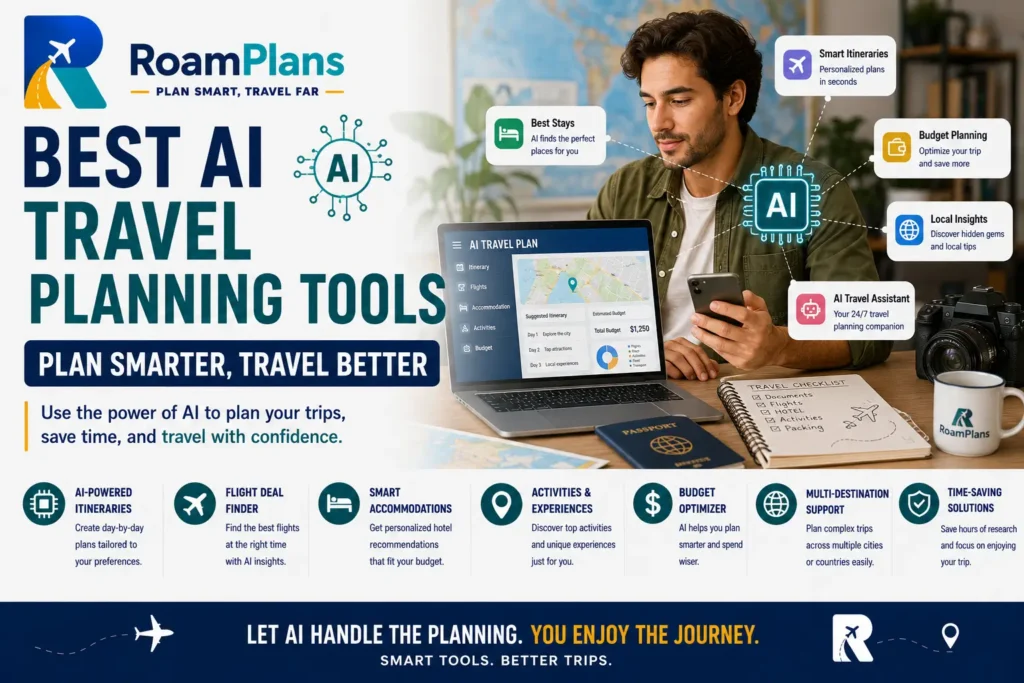
Best AI Travel Planning Tools
7 Best AI Travel Planning Tools in 2026 | RoamPlans RoamPlans · Travel Technology 7 Best AI Travel Planning Tools in 2026 Compare dedicated…
Read guide →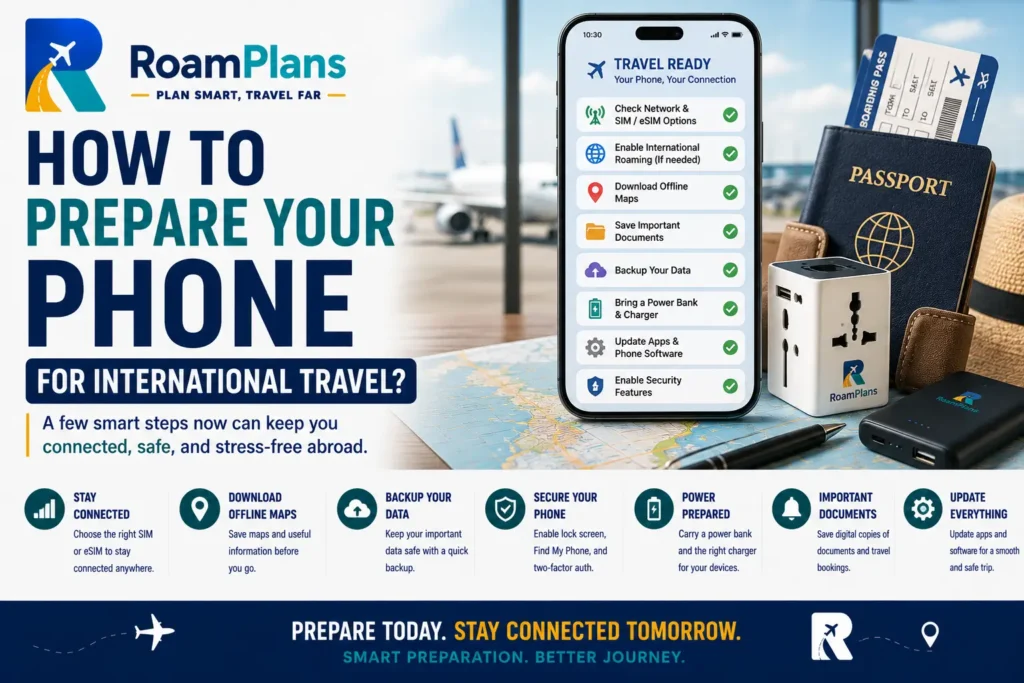
How to Prepare Your Phone for International Travel?
How to Prepare Your Phone for International Travel? | RoamPlans RoamPlans · Travel Technology How to Prepare Your Phone for International Travel? ✓ Practical…
Read guide →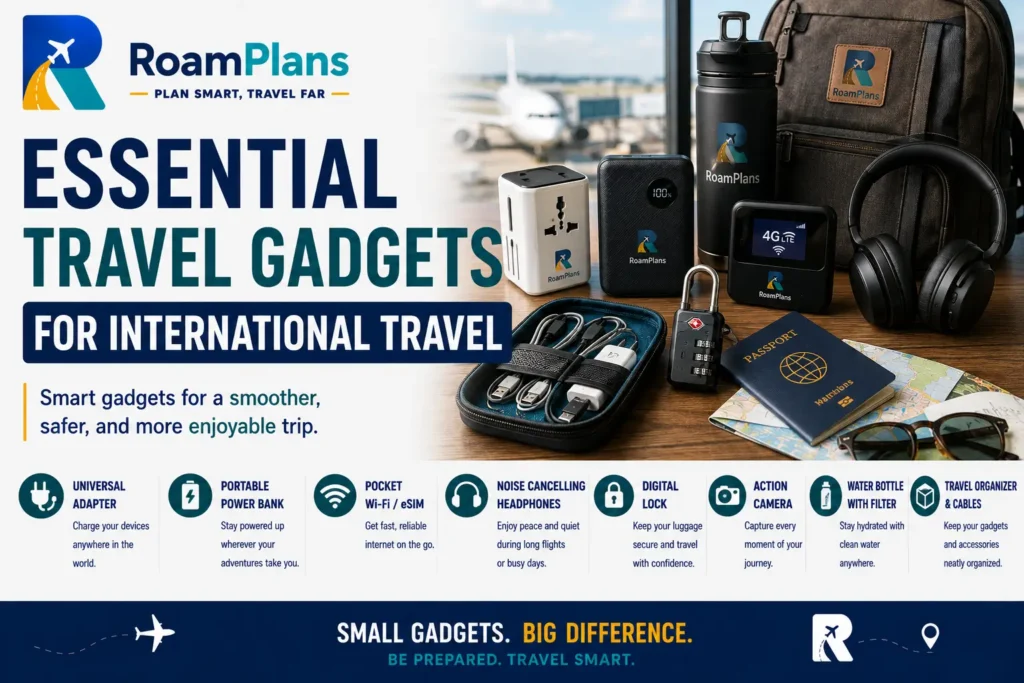
Essential Travel Gadgets for International Travel
Essential Travel Gadgets for International Travel | RoamPlans RoamPlans · Travel Technology Essential Travel Gadgets for International Travel ✓ Practical guidance⌖ International travel✦ Updated…
Read guide →
Best Travel Planning Apps for Organizing Your Trip
Best Travel Planning Apps for Organizing Your Trip | RoamPlans RoamPlans · Travel Technology Best Travel Planning Apps for Organizing Your Trip ✓ Practical…
Read guide →
Best VPNs for Travelers: When You Need One and What to Look For
Best VPNs for Travelers: When You Need One and What to Look For | RoamPlans RoamPlans · Travel Technology Best VPNs for Travelers: When…
Read guide →
eSIM vs Physical SIM for International Travel
eSIM vs Physical SIM for International Travel | RoamPlans RoamPlans · Travel Technology eSIM vs Physical SIM for International Travel ✓ Practical guidance⌖ International…
Read guide →
Best Navigation Apps for Travelers
Best Navigation Apps for Travel: Offline Maps & Routing RoamPlans · Travel Technology Best Navigation Apps for Travelers ✓ Practical guidance⌖ International travel✦ Updated…
Read guide →Free travel tool
Plan Your Trip with RoamPlans
Use a practical travel tool to organize your budget, itinerary, packing, or trip costs.