How to Store Travel Documents Safely While Traveling?
Travel documents are some of the hardest things to replace during an international trip. Losing a passport, visa, insurance certificate, or driving document can turn a simple travel ↗ day into hours of calls, embassy visits, or changed plans.
That is why I do not keep every important document in one place. I separate originals from backups, carry only what I need during the day, and keep secure digital copies where I can reach them if my phone or bag is lost.
The goal is not to carry a thick folder everywhere. It is to create a simple system where one lost wallet, stolen bag, dead phone, or hotel-room mistake does not take away every copy of your important travel information.
This guide explains how to store travel documents safely while traveling, which documents should stay with you, which can remain in secure accommodation, how to create digital backups, and what to do if something goes missing.
The safest system is to keep required originals in a secure, consistent location; place paper copies somewhere separate; and protect digital copies behind a strong device or account login. Never let one wallet, bag, safe, phone, or email account contain your only usable version of every important document.
| Situation | Best Place for Originals | Backup |
|---|---|---|
| Flight, ferry, train, or border day | Secure internal pocket of your personal carry-on | Separate paper copy plus protected offline digital copy |
| Normal sightseeing | Carry the original only when local law or the activity requires it; otherwise use secure accommodation storage | Carry limited reference information and keep another copy separate |
| Hotel or private room | Locked safe or another consistent secure location | Do not put every card, original, and copy in the same safe |
| Hostel or shared accommodation | Locked personal storage that only you control | Protected digital copy and a separate paper copy |
| Beach, tour, or rental-car day | Carry only documents genuinely required; avoid leaving a passport unattended in a vehicle | Secure accommodation or protected backup storage |
| Phone or bag is lost | Use the separate recovery copy and contact the relevant authority | Offline emergency note, cloud access, and trusted contact |
Some countries require travelers to carry certain identification or immigration documents. Check local laws before deciding to leave your passport or other official ID at your accommodation.
Key Takeaways

-
✓Do not keep every original and backup document in the same bag.
-
✓Carry your passport when the law or travel activity requires it.
-
✓Where local rules allow, you may not need to carry every original document during normal sightseeing.
-
✓Keep secure digital copies of important documents.
-
✓Store copies separately from originals.
-
✓Avoid saving sensitive documents in an unprotected phone photo gallery.
-
✓Keep important documents in your carry-on during flights and border crossings.
-
✓Hotel safes can be useful, but they should not be your only backup plan.
-
✓A passport photocopy is useful for reference but does not replace the original passport.
-
✓Keep emergency contact and embassy information somewhere you can reach without internet access.
Which Travel Documents Should You Protect Most Carefully?
Not every document has the same replacement difficulty.
I would give the highest protection to documents that can affect your ability to cross a border, prove your identity, receive medical help, or continue the trip. Start with the passport requirements for international travel ↗ so you know which originals must remain valid and accessible.
These include:
-
✓Passport
-
✓Visa or residence document
-
✓eVisa approval where relevant
-
✓International Driving Permit
-
✓Driver’s license
-
✓Vaccination certificate where required
-
✓Travel insurance certificate
-
✓Prescription or medical letter
-
✓Child consent documents
-
✓Emergency contact information
Flight and hotel confirmations are also useful, but they are usually easier to recover from an email or booking account than a lost passport.
Originals, Copies, and Digital Backups

A simple travel-document system uses three levels.
1. Original Documents
These are the actual documents you may need to present.
Examples include:
-
✓Passport
-
✓Driver’s license
-
✓International Driving Permit
-
✓Original vaccination certificate
-
✓Child consent document where required
These should be protected carefully because a copy may not be accepted in their place.
2. Paper Copies
Paper copies are useful if:
-
✓Your phone stops working
-
✓You lose internet access
-
✓Your passport is stolen
-
✓You need to give document details to an embassy
-
✓You need your insurance information quickly
A paper passport copy does not let you travel internationally, but it can help you provide the correct passport number and personal details during a replacement process.
3. Digital Copies
Digital backups are useful because they can be accessed without carrying more paper.
Good digital copies can include:
-
✓Passport identity page
-
✓Visa
-
✓eVisa approval
-
✓Travel insurance
-
✓Vaccination certificate
-
✓Driver’s license
-
✓International Driving Permit
-
✓Flight information
-
✓Accommodation
-
✓Important medical records
The safest setup is:
Original + separate paper copy + secure digital copy
You do not need three copies of every booking confirmation, but this system works well for the most important documents.
Never Keep All Your Travel Documents in One Place
This is the main rule I follow.
Imagine keeping your:
-
✓Passport
-
✓Driver’s license
-
✓Cash
-
✓Credit cards
-
✓Passport photocopy
-
✓Insurance information
inside the same travel wallet.
If that wallet is stolen, every backup disappears with the originals.
A better setup is to divide them.
For example:
Personal bag
-
✓Passport
-
✓Main payment card
-
✓Required entry documents
Secure accommodation
-
✓Spare payment card
-
✓Paper passport copy
-
✓Extra cash
-
✓Backup documents
Secure digital storage
-
✓Passport scan
-
✓Visa copy
-
✓Insurance details
-
✓Emergency contacts
This gives you another route if one part of the system fails.
Keep Your Passport in Your Carry-On During Travel Days
Never put your passport inside checked luggage when flying internationally.
You can need it for:
-
✓Airline check-in
-
✓Security or identity checks
-
✓Boarding
-
✓Immigration
-
✓Transit checks
-
✓Hotel check-in after arrival
Checked baggage can be delayed, misrouted, or inaccessible during connections.
I keep my passport in a fixed pocket inside my personal bag so I always know where it is.
The pocket should:
-
✓Close securely
-
✓Be difficult for someone else to reach
-
✓Not be an open outside pocket
-
✓Be separate from liquids and items that could damage the passport
Avoid moving the passport between several bags during the travel day.
The more times you change its location, the easier it is to forget where you placed it.
Should You Carry Your Passport Everywhere While Traveling?
It depends on the destination and what you are doing.
Some countries require foreign visitors to carry original identification or immigration documents. In other destinations, travelers may be able to leave the passport securely at their accommodation during normal sightseeing and carry another accepted form of identification.
Do not use one rule for every country.
Before deciding, check:
-
✓Local identification laws
-
✓Hotel requirements
-
✓Transportation rules
-
✓Activities planned that day
-
✓Whether police may require original identification
-
✓Whether you are crossing a border
If local rules require your passport, carry it securely.
If the original is not required and you are spending the day walking around a city, leaving it in secure accommodation can reduce the risk of losing it to theft or simple carelessness.
When You Should Carry the Original Passport
Even where local rules allow you to leave it at your accommodation on normal days, there are times when you will usually need the original.
These can include:
-
✓International flights
-
✓Border crossings
-
✓Immigration appointments
-
✓Certain domestic flights
-
✓Car rental pickup
-
✓Some train or ferry routes
-
✓Hotel check-in
-
✓Visa-related appointments
-
✓Activities requiring passport identification
Check the specific requirement beforehand.
Do not arrive at a rental counter or station with only a passport photograph if the company requires the original.
Is a Passport Photocopy Enough?
A photocopy is useful, but it is not a replacement for the original passport.
Its main value is as a backup record.
A clear copy can show:
-
✓Full name
-
✓Passport number
-
✓Date of birth
-
✓Nationality
-
✓Issue date
-
✓Expiration date
This information can help when:
-
✓Reporting a lost passport
-
✓Contacting an embassy
-
✓Completing a police report
-
✓Talking to an airline
-
✓Accessing travel insurance support
Keep the copy separate from the passport.
If the original and copy are stored together, the backup has much less value.
Should You Carry a Paper Passport Copy Every Day?
You can, but it should depend on your trip.
If local law does not require the original passport, a paper copy can be useful as a quick identity reference.
However, do not assume it will be accepted as official identification.
A paper copy is best treated as:
backup information, not replacement ID.
I would also avoid writing unnecessary sensitive information on the same sheet.
For example, do not attach:
-
✓Banking PINs
-
✓Passwords
-
✓Full credit-card information
to your passport copy.
Keep different types of sensitive information separate.
Where Should You Store Your Passport in a Hotel?

If local rules and your plans allow you to leave the passport at your accommodation, choose a secure location rather than leaving it on a desk or inside an open suitcase. Before checkout, use this document check alongside the hotel check-in and check-out guide ↗.
Possible options include:
-
✓Hotel room safe
-
✓Hotel reception safe where trusted and documented
-
✓Locked luggage
-
✓Secure internal travel pouch
A room safe can be useful, but I would not place every valuable item inside it.
If your passport, backup credit card, all cash, and every document copy are stored together, you have created another single point of failure.
Spread important items across sensible secure locations.
Are Hotel Safes Completely Secure?
No storage method is perfect.
A hotel safe can reduce casual theft risk, but it should not be treated as impossible to access.
Use it as one part of a wider system.
For example:
Hotel safe
-
✓Passport
-
✓Some cash
Locked luggage
-
✓Paper copies
-
✓Backup card
Secure cloud storage
-
✓Digital document copies
This makes it harder for one problem to affect everything.
Also make sure the safe is actually locked before leaving the room.
It sounds obvious, but travelers sometimes close the door without confirming the lock engaged.
Do Not Hide Documents So Well That You Forget Them
There is another side to secure storage.
Travelers sometimes put a passport somewhere unusual because it feels safe, then check out and leave it behind.
Common hiding places that can cause problems include:
-
✓Under a mattress
-
✓Inside a pillowcase
-
✓Behind a drawer
-
✓Inside a book
-
✓Under clothing in a wardrobe
-
✓Hidden hotel-room compartments
I prefer using one repeatable storage location.
If I use a hotel safe, that becomes the passport location whenever I am not carrying it.
Before checkout, I include:
passport + safe + chargers
in my final room check.
That small routine prevents one of the most frustrating travel mistakes.
Keep Visas with the Passport When Necessary
A physical visa inside your passport obviously stays with the passport.
Separate visa documents may need more thought.
These can include:
-
✓Printed eVisa
-
✓Visa approval letter
-
✓Entry authorization
-
✓Supporting immigration letter
During border crossings, keep them with the passport.
During normal sightseeing, you may not need to carry every printed approval if local rules do not require it.
Keep a secure digital backup either way.
How to Store an eVisa Safely?
An eVisa may be linked electronically to your passport, but I still prefer saving the approval document when one is provided.
Store it in at least two useful formats:
Offline on phone
-
✓PDF or screenshot
Secure online backup
-
✓Cloud account or secure file storage
A printed copy can also be useful if the destination advises carrying one.
Do not depend entirely on opening the issuing government’s website after landing.
You may have:
-
✓No mobile signal
-
✓No airport Wi-Fi
-
✓Login problems
-
✓Low battery
-
✓A locked account
Offline access removes that problem.
How to Store Travel Insurance Documents?
Your travel insurance information should be easy to reach during an emergency.
Save:
-
✓Insurer name
-
✓Policy number
-
✓Emergency assistance number
-
✓Policy certificate
-
✓Coverage dates
-
✓Claims contact information
I would keep the emergency number somewhere separate from the full policy.
For example:
Phone contact: insurer emergency number
Offline document folder: policy certificate
Secure cloud copy: full policy
That way, you do not need to search through a long PDF during an urgent situation.
Keep Emergency Numbers Offline
Do not depend completely on internet search.
Save important contacts before departure.
These may include:
-
✓Travel insurer
-
✓Airline
-
✓Bank
-
✓Accommodation
-
✓Embassy or consulate
-
✓Family emergency contact
-
✓Rental-car company
Keep the most important numbers in:
-
✓Phone contacts
-
✓Offline note
-
✓Paper backup
If your phone is stolen, the paper copy becomes useful.
If the paper copy is lost, the digital backup remains.
How to Store Vaccination Certificates?
If you carry an original vaccination certificate such as the International Certificate of Vaccination or Prophylaxis, protect it from physical damage.
Keep it:
-
✓Dry
-
✓Flat where possible
-
✓Away from liquids
-
✓With other important border documents
-
✓In carry-on luggage when required for entry
A clear digital copy can help if the original is lost, but where an original certificate is required, do not assume the scan will replace it.
A simple protective document sleeve works well.
Avoid stuffing the certificate loose into a pocket where it can tear or become wet.
How to Store an International Driving Permit?
An International Driving Permit is another original physical document that should be protected.
While driving abroad, keep it with:
-
✓Domestic driver’s license
-
✓Rental agreement
-
✓Required insurance information
Do not leave the only copy permanently in the rental vehicle if that creates a theft risk.
A scan can help you identify the permit if it is lost, but it does not replace the physical IDP where the original is required.
Child Travel Documents Need Extra Care
Family travel can involve additional original documents.
These may include:
-
✓Child passport
-
✓Parental consent letter
-
✓Birth certificate
-
✓Custody documents
-
✓Visa documents
-
✓Vaccination records
Keep each child’s paperwork grouped separately.
For example:
Child 1 folder
-
✓Passport copy
-
✓Consent document
-
✓Visa
-
✓Health record
Child 2 folder
-
✓Same categories
This makes border checks much easier than searching through one large family document folder.
Do Not Give Children the Only Copy of Their Documents
Older children may carry a small travel wallet, but I would not give them the only original or only backup of an important document unless the travel situation requires it.
Parents or guardians should know:
-
✓Who has each passport
-
✓Where backup copies are stored
-
✓Which adult has consent documents
-
✓Where medical information is kept
At airports, use one clear system rather than passing passports between family members repeatedly.
Create a Travel Document Folder on Your Phone
A simple offline folder can save time.
You might organize it like this:
01 Passport
02 Visa
03 Flights
04 Hotels
05 Insurance
06 Health
07 Driving
08 Emergency Contacts
Use clear file names such as:
Passport-Adnan.pdf
instead of:
IMG_4837.jpg
Clear names matter when you are tired, standing in an airport, or trying to send a document quickly.
Do Not Store Sensitive Documents in an Open Photo Gallery
Your photo gallery is convenient, but it may expose sensitive documents if someone gets access to your unlocked phone.
Passport scans contain valuable personal information.
Instead, consider storing them in:
-
✓Secure cloud storage
-
✓Encrypted file storage
-
✓Password-protected document app
-
✓Locked folder supported by your device
The goal is to keep the document available to you without making it easy for someone else to open.
Use Strong Account Security for Cloud Backups
Cloud storage is useful only if the account itself is protected.
For accounts holding passport or visa copies, use:
-
✓Strong unique password
-
✓Two-factor authentication
-
✓Updated recovery information
-
✓Device lock
-
✓Secure email account
Avoid using the same password for your travel-document storage and several other websites.
If one account is compromised, you do not want it to expose every important travel record.
Make Important Files Available Offline
Cloud-only storage creates another problem:
What happens without internet?
Before departure, save essential documents for offline access.
These might include:
-
✓Passport copy
-
✓Visa
-
✓Insurance certificate
-
✓Hotel address
-
✓Flight confirmation
-
✓Emergency contacts
You can still keep the secure cloud version as the main backup.
The offline version is there for airports, border areas, remote locations, and connection problems.
Should You Email Travel Documents to Yourself?
Email can be a backup, but I would not use an inbox as the only storage system for sensitive identity documents.
Email accounts can be:
-
✓Locked
-
✓Compromised
-
✓Difficult to access abroad
-
✓Connected to an unavailable phone number
If you use email, protect the account with strong security and keep another backup method.
Avoid sending passport scans to several people or email accounts without a clear reason.
Every extra copy creates another place where sensitive information can be exposed.
Should You Give Copies to Someone at Home?
For major international trips, leaving selected information with a trusted person can be useful.
This may include:
-
✓Passport copy
-
✓Travel dates
-
✓Flight details
-
✓Insurance information
-
✓Basic itinerary
-
✓Emergency contact details
Do not send every private document automatically.
Share only what could genuinely help during an emergency.
A trusted person at home may be able to provide passport details or insurance information if your phone and luggage are both lost.
Keep Banking Information Separate from Identity Documents
Do not store:
passport scan + credit-card details + PIN + account passwords
in one document.
That makes one stolen file much more damaging.
Keep identity, financial, and login information separated.
For example:
Travel document folder
-
✓Passport
-
✓Visa
-
✓Insurance
Password manager
-
✓Account login details
Wallet
-
✓Payment cards
Secure backup
-
✓Emergency banking contact numbers
Separation reduces the damage if one part is lost or accessed.
Use a Simple Document Storage System
The safest system is usually the one you can actually follow throughout the trip.
My preferred setup would look like this:
During Travel Days
Carry:
-
✓Passport
-
✓Required visa documents
-
✓Required health documents
-
✓Driver’s license where needed
-
✓Boarding documents
During Normal Sightseeing
Carry only what local law and the day’s activities require.
Keep unnecessary originals secure.
At Accommodation
Store:
-
✓Documents not needed that day
-
✓Backup payment card
-
✓Selected paper copies
Digitally
Keep secure:
-
✓Passport scan
-
✓Visa copy
-
✓Insurance
-
✓Bookings
-
✓Emergency contacts
With a Trusted Person
Leave selected emergency information where it could genuinely help.
This creates several layers without making travel-document management complicated.
How to Protect Travel Documents from Theft?
Document safety starts with making them difficult to reach without making them difficult for you to use.
Pickpockets often work in crowded places where travelers are distracted, such as:
-
✓Airports
-
✓Train stations
-
✓Public transportation
-
✓Tourist attractions
-
✓Busy markets
-
✓Hotel lobbies
-
✓Festivals
-
✓Large events
The U.S. Department of State regularly warns travelers about pickpocketing and recommends keeping passports secure. Its international travel checklist also recommends making multiple document copies and storing them separately from the originals.
I would avoid carrying a passport in:
-
✓Open backpack pocket
-
✓Back trouser pocket
-
✓Loose jacket pocket
-
✓Unzipped handbag
-
✓Outer suitcase compartment
Use an internal zipped compartment or another location that is difficult for someone beside or behind you to reach.
Is a Travel Wallet a Good Place for Documents?
A travel wallet can work well if you use it correctly.
It can keep important items together during:
-
✓Flights
-
✓Border crossings
-
✓Hotel check-in
-
✓Train journeys
-
✓Car rental pickup
A good travel wallet may hold:
-
✓Passport
-
✓Boarding pass
-
✓Visa documents
-
✓Driver’s license
-
✓IDP
-
✓One payment card
-
✓Small amount of cash
The problem starts when the wallet becomes the only location for everything important.
Do not put:
-
✓All credit cards
-
✓All cash
-
✓Passport
-
✓Passport copy
-
✓Backup ID
-
✓Insurance information
into the same wallet.
If it disappears, your backup plan disappears too.
Should You Use a Money Belt for Your Passport?
A money belt can be useful in situations where theft risk is high or where you need to carry an original passport.
It works best as hidden storage rather than a wallet you open every few minutes.
You might keep:
-
✓Passport
-
✓Emergency cash
-
✓Backup card
inside it.
Then use a normal wallet for small daily purchases.
If you repeatedly open a hidden money belt in public, you show people exactly where your valuable items are stored.
Choose Comfort as Well as Security
A money belt that is uncomfortable may eventually end up inside your backpack, which removes much of its purpose.
Choose something you can wear comfortably under clothing without damaging your passport through sweat or moisture.
A waterproof or moisture-resistant inner sleeve can help protect paper documents.
Cross body Bags and Anti-Theft Bags
A small cross body bag can work well for sightseeing because you can keep it in front of your body in crowded areas.
Helpful features include:
-
✓Zippers
-
✓Internal passport pocket
-
✓Strap that cannot easily slip off
-
✓Limited external pockets
-
✓Strong closures
An anti-theft bag can add useful features, but the bag itself does not make documents safe.
You still need good habits.
Keep it closed.
Do not hang it over the back of a restaurant chair.
Do not leave it under a café table where you cannot see it.
Do not place your passport inside an easy-access outer compartment.
Be Extra Careful at Airports
Airports feel secure, which can make travelers lower their guard.
Your attention may be divided between:
-
✓Passport
-
✓Boarding pass
-
✓Phone
-
✓Security trays
-
✓Shoes
-
✓Laptop
-
✓Children
-
✓Carry-on luggage
That creates opportunities for items to be forgotten or taken.
At Security
Before entering the security line, decide where your passport will go after the identity check.
For example:
passport comes out → identity check → passport immediately returns to zipped internal pocket
Do not place it loose inside a security tray unless airport staff specifically require it.
If you do place an important item in a tray, watch the tray until you have collected everything.
At the Gate
Avoid leaving your passport:
-
✓On a charging table
-
✓On the seat beside you
-
✓Inside a seat pocket
-
✓On top of your suitcase
Once boarding starts, people move quickly and forgotten documents can be difficult to recover.
Check the Aircraft Seat Pocket Before Leaving
Seat pockets are convenient during a flight and easy to forget after landing.
Travelers often put:
-
✓Passport
-
✓Immigration paperwork
-
✓Phone
-
✓Wallet
-
✓Boarding pass
inside them.
Before leaving the aircraft, check:
seat pocket + seat + floor + overhead bin
I prefer putting the passport back into my travel bag once the aircraft has taken off instead of leaving it in the seat pocket for the whole flight.
Travel Document Safety on Trains and Buses
Long train and bus trips create a different problem.
You may sleep while other passengers can move through the carriage.
Keep important documents:
-
✓On your body
-
✓In a secure personal bag
-
✓In a bag positioned where you can feel or see it
Avoid putting a passport inside luggage stored:
-
✓At the far end of a train carriage
-
✓In an unattended overhead area
-
✓Under a bus in checked luggage
If the bag is outside your control for part of the trip, do not put your passport inside it.
What About Overnight Trains?
For overnight trains, keep your passport and main valuables close to you.
If your compartment has a secure lock, use it.
Keep large luggage locked where practical, but keep the documents needed for travel in your smaller personal bag.
Do not sleep with a passport loose on a table or shelf.
A small zipped pouch inside your bag works better.
How to Store Documents in a Hostel?
Hostels need more planning because you may share a room with people you do not know.
If the hostel provides lockers:
-
✓Use one
-
✓Bring the correct padlock if needed
-
✓Check that the locker actually closes securely
Do not leave passports, wallets, or document folders openly inside a backpack beside your bed.
Separate Your Backups
A useful hostel setup is:
Locker
-
✓Passport when not needed
-
✓Backup cash
-
✓Spare card
Day bag
-
✓What you need while outside
Digital backup
-
✓Document copies
Separate luggage
-
✓Paper copies
That way, losing the day bag does not remove every record.
Shared Accommodation and Hotel Rooms
Whether you stay in:
-
✓Hostel
-
✓Guesthouse
-
✓Shared rental
-
✓Hotel
-
✓Apartment
do not leave sensitive travel documents visible.
Avoid leaving passports:
-
✓On bedside tables
-
✓Beside windows
-
✓In open bags
-
✓Under clothes on the floor
-
✓On bathroom counters
State Department destination guidance sometimes recommends hotel safes and locked baggage for protecting valuables. For example, its Netherlands guidance advises travelers to use hotel safes, keep baggage secured, and avoid leaving personal items unattended.
Use the safest realistic option available at your accommodation.
What Should You Do at the Beach?
The beach is a difficult place for passport storage because:
-
✓Bags can be stolen while you swim
-
✓Water can destroy documents
-
✓Sand can damage passport pages
-
✓Lockers may not be available
If local law and the day’s activities do not require your original passport, leaving it securely at your accommodation may be safer.
Carry only the identification and documents you actually need.
If you must bring the passport:
-
✓Use a proper waterproof document pouch
-
✓Keep it with a trusted person when swimming
-
✓Use a secure locker where available
-
✓Never leave it unattended under a towel
A plastic shopping bag is not reliable passport protection.
Day Trips and Tours
Before a day trip, check whether the activity requires an original passport.
Examples might include:
-
✓Border-area tours
-
✓Domestic flights
-
✓Certain ferries
-
✓Car rental
-
✓Secure government sites
-
✓Activities requiring formal ID
If it does not, and local rules allow the passport to remain at the accommodation, carry less.
Ask the tour operator beforehand if original ID is required.
Do not discover this after traveling two hours to the starting point.
What About Rental Cars?
A parked rental car is usually a poor long-term storage place for passports and valuable documents.
Cars can be:
-
✓Broken into
-
✓Stolen
-
✓Towed
-
✓Left in extreme heat
-
✓Accidentally locked with keys inside
Keep personal identity documents with you unless local rules require a vehicle document to remain in the car.
The same applies to:
-
✓Laptops
-
✓Phones
-
✓Wallets
-
✓Backup cards
State Department travel guidance also warns against leaving valuable electronics in vehicles in destinations where theft is a concern.
Do Not Leave Your Passport as a Deposit
Some businesses may ask to hold identification as security for rented equipment.
I would be very cautious about leaving an original passport with a:
-
✓Scooter rental company
-
✓Bicycle shop
-
✓Tour operator
-
✓Equipment rental business
-
✓Accommodation provider after normal identification checks
If someone asks to keep your passport for an extended period, check whether that practice is legally required and whether another form of deposit is accepted.
Your passport is difficult to replace abroad, so avoid giving up control of it without a valid reason.
What If Your Phone Is Lost or Stolen?
A lost phone can become a travel-document problem if all your backups were stored only on that device.
This is why I would never use:
phone only
as the backup strategy.
Before travel, make sure important documents can also be reached through another secure method.
Possible backups include:
-
✓Secure cloud account
-
✓Trusted person at home
-
✓Paper copy
-
✓Second device
-
✓Secure account accessible through a browser
Protect the Phone Itself
Use:
-
✓Screen lock
-
✓Strong PIN
-
✓Biometric lock where suitable
-
✓Device tracking
-
✓Remote lock or erase features
-
✓Account recovery information
Avoid simple codes such as:
1234
or your birth year.
If someone steals your phone, you do not want them immediately opening passport scans, email, banking apps, and travel accounts.
Store Recovery Information Before Travel
Losing a phone becomes much harder if your account recovery method depends on the same lost phone.
Before leaving home, check:
-
✓Email recovery options
-
✓Cloud-account recovery
-
✓Password manager access
-
✓Backup authentication methods
-
✓Trusted phone numbers
-
✓Device tracking
Do not write account passwords inside the same phone note that contains passport scans.
Keep identity documents and account credentials separated.
Public Wi-Fi and Travel Documents
Public Wi-Fi is common in:
-
✓Airports
-
✓Hotels
-
✓Cafés
-
✓Train stations
-
✓Shopping centers
The FTC notes that most modern websites use encryption, so public Wi-Fi is generally safer than it once was, but users should still check that websites use HTTPS and keep devices and accounts protected.
For highly sensitive travel documents, I would still avoid unnecessary uploading or sharing while connected to an unfamiliar network.
For example, do not sit at an airport and casually email passport scans to several people if you do not need to.
Check the Website Before Uploading Documents
Passport and visa websites can attract scammers.
If you need to upload identity documents while traveling:
-
✓Check the web address.
-
✓Confirm you are using the official service.
-
✓Look for HTTPS.
-
✓Avoid links from unexpected emails or messages.
-
✓Do not upload documents because a stranger tells you to.
The FTC has warned travelers about fake passport-service websites that imitate official services and collect personal information or unnecessary fees.
Go directly to official government websites where possible.
Be Careful with Shared Computers
Avoid accessing sensitive travel files through:
-
✓Hotel lobby computers
-
✓Hostel computers
-
✓Internet cafés
-
✓Public library computers
unless you have no better option.
You may not know:
-
✓What software is installed
-
✓Whether login details are saved
-
✓Whether files remain downloaded
-
✓Whether browser sessions are cleared
If you have to use a shared device, avoid downloading passport scans where possible and make sure you sign out completely afterward.
Airport Charging Stations and Phone Security
Charging a phone during a long travel day is normal, but use care with public USB connections.
CISA has warned travelers that connecting a device to a computer or charging station you do not control can create data-security risks. It recommends being cautious with unknown USB charging connections.
A safer option is often:
-
✓Your own charger
-
✓Wall electrical outlet
-
✓Trusted power bank
This matters more when your phone contains travel documents, account access, and payment information.
Turn Off Connections You Are Not Using
CISA also recommends turning off Bluetooth when you are not using it during travel because unnecessary open connections can create another route into a device.
Simple phone habits can protect far more than passport copies.
Your phone may also contain:
-
✓Banking
-
✓Email
-
✓Hotel accounts
-
✓Airline accounts
-
✓Personal messages
-
✓Travel itinerary
Treat it as one of your main travel valuables.
Watch for Fake Travel Emails and Messages
A traveler expecting:
-
✓Visa confirmation
-
✓Airline update
-
✓Hotel message
-
✓Passport information
-
✓Insurance email
can be an easy target for phishing.
Be suspicious of messages saying:
-
✓Your visa will be canceled immediately
-
✓Your hotel booking needs urgent payment
-
✓Your passport needs verification
-
✓Your flight will be canceled unless you click
-
✓Your travel authorization has expired
Check the claim through the official app or website instead of clicking the message link.
CISA advises travelers to be cautious with suspicious links and attachments, especially during periods when they expect many travel-related messages.
What Should You Do If Your Passport Is Missing?
Do not report it stolen the second you cannot find it.
First, search carefully.
Check:
-
✓Travel bag
-
✓Jacket
-
✓Hotel safe
-
✓Hotel reception
-
✓Seat pocket
-
✓Rental car
-
✓Airport security area
-
✓Train seat
-
✓Restaurant
-
✓Previous accommodation
Call places you recently visited.
A passport that was put somewhere unusual may still be recoverable.
But if you believe it is truly lost or stolen, act quickly.
What to Do If a U.S. Passport Is Lost or Stolen Abroad?
For a U.S. passport, the State Department says travelers should report the passport lost or stolen and contact the nearest U.S. embassy or consulate for help obtaining a replacement. It also warns that a lost or stolen passport should be reported promptly to reduce identity-theft risk.
A practical order is:
Step 1: Confirm It Is Missing
Search carefully and contact recent locations.
Step 2: Report Theft to Local Police Where Appropriate
A police report can be useful, and some local procedures or insurance claims may require one.
Country-specific rules can vary. Some State Department destination pages specifically tell travelers to obtain a police report for a lost or stolen passport.
Step 3: Contact the Nearest U.S. Embassy or Consulate
Explain:
-
✓Where you are
-
✓What happened
-
✓When you next need to travel
The embassy or consulate can explain replacement options.
Step 4: Access Your Backup Information
Useful information can include:
-
✓Passport copy
-
✓Passport number
-
✓Issue date
-
✓Expiration date
-
✓Travel itinerary
-
✓Other identification
This is exactly why the State Department recommends keeping document copies separate from the originals and giving another set to someone you trust.
Step 5: Contact Your Airline if Travel Is Soon
A photocopy normally does not replace a passport for international air travel.
If your next flight is close, explain the situation to the airline after contacting the embassy or consulate.
What Happens After You Report a Passport Lost?
This is important.
Once a U.S. passport is officially reported lost or stolen and canceled, you should not try to travel with it if you later find it.
The State Department currently says an online lost or stolen passport report can result in cancellation within one business day. Once canceled, the passport is no longer valid for travel.
That is why you should search carefully before making the report.
But once you are confident it is gone, do not delay simply because you hope it may turn up days later.
What If Your Visa Was in the Lost Passport?
A replacement passport does not automatically restore a physical visa that was inside the lost document.
After replacing the passport, check with the country that issued the visa.
You may need to:
-
✓Report the visa lost
-
✓Apply again
-
✓Transfer or update visa information
-
✓Obtain another electronic authorization
The State Department advises travelers with lost or stolen passports and visas to contact the appropriate embassy or consular authority for replacement procedures.
Do this before booking another international flight.
What If Your Driver’s License or IDP Is Lost?
If your driver’s license is lost, check your state licensing authority and your rental company’s requirements before continuing to drive.
If your IDP is lost, contact the authorized issuer about replacement.
Do not assume a photo of either document gives you the same legal driving authority as the original.
If you cannot prove that you are legally allowed to drive, stop driving until you know what documents are accepted.
What If Your Travel Insurance Documents Are Lost?
Insurance paperwork is usually easier to replace because the policy information may be available through:
-
✓Insurer app
-
✓Email
-
✓Online account
-
✓Emergency assistance line
This is why I store the insurer’s emergency number separately from the full policy.
If you lose the paper certificate, contact the insurer and ask for another digital copy.
What If You Lose Every Copy?
This is the situation the backup system is meant to prevent.
But if it happens:
-
✓Contact the authority responsible for the missing original.
-
✓Contact the embassy or consulate if a passport is involved.
-
✓Contact your trusted person at home.
-
✓Access insurer and airline accounts.
-
✓Make a police report where needed.
-
✓Secure payment cards and phone accounts if they were stolen too.
Do one problem at a time.
Start with whatever affects:
identity → border travel → money → accommodation
in that order.
Create a Lost-Document Emergency Note Before Travel
Before departure, create one small offline note containing:
-
✓Embassy or consulate information
-
✓Travel insurer emergency number
-
✓Airline contact
-
✓Bank card emergency numbers
-
✓Passport number or location of secure backup
-
✓Trusted emergency contact
Do not put account passwords or card PINs in this note.
The note should help you find help, not create another security risk.
Use the State Department’s Backup Strategy
The State Department’s international travel checklist recommends making multiple copies of required travel documents, giving a set to a trusted person, keeping another set separate from the originals, and taking photos of important travel documents.
That approach matches the system I recommend for RoamPlans readers:
Original document
separate physical backup
secure digital backup
trusted emergency copy where useful
You do not need to carry every copy everywhere. The point is to prevent one lost bag from becoming a complete document loss.
A Simple Anti-Theft Routine for Every Travel Day
Before leaving your accommodation, ask:
What originals do I need today?
Carry only those required by law or the day’s activity.
Where is my passport?
Know its exact location.
Is my bag closed?
Check every zipper.
Are my backups separate?
Do not put the passport copy beside the passport just because you are in a hurry.
Where is my phone?
Keep it in a secure pocket or bag.
Do I have an emergency payment option?
Avoid carrying every card in one wallet.
What happens if this bag disappears?
If the answer is:
I lose everything
change your setup before leaving.
That one question is a useful way to test whether your document-storage system is actually safe.
What to Do If Stolen Documents Could Be Used for Identity Theft
A stolen passport or document folder can create more than a travel problem.
It can also expose personal information such as:
-
✓Full name
-
✓Date of birth
-
✓Passport number
-
✓Address
-
✓Driver’s-license details
-
✓Visa information
If a bag containing sensitive documents is stolen, think about both problems:
Can I continue my trip?
and
Could someone misuse my information?
Deal with the urgent travel issue first, but do not ignore the security side.
Secure Your Online Accounts After a Theft
If your phone, laptop, or document folder was stolen together, review the accounts that may now be exposed.
Start with:
-
✓Main email account
-
✓Cloud storage
-
✓Airline accounts
-
✓Hotel accounts
-
✓Banking apps
-
✓Password manager
-
✓Travel insurance account
Change passwords if you think someone may have gained access.
Also use remote device-lock or erase tools where available.
Your email deserves special attention because password-reset links for many other services usually go there.
Cancel Stolen Payment Cards Quickly
If your wallet disappeared with your travel documents, contact your bank or card provider.
Do not wait several days hoping the wallet will appear.
Freeze or cancel affected cards and ask about replacement options.
This is another reason to carry a backup payment card separately.
If your main wallet disappears but another card is stored securely elsewhere, you can still:
-
✓Pay for accommodation
-
✓Buy food
-
✓Reach an embassy
-
✓Pay transport costs
-
✓Handle replacement-document expenses
Do Not Store Full Card Details With Passport Copies
Passport copies and financial information should stay separate.
Avoid one file containing:
-
✓Passport scan
-
✓Credit-card number
-
✓Security code
-
✓PIN
-
✓Bank password
That turns one stolen file into a much larger problem.
Keep identification documents, payment information, and passwords in different secure systems.
Review Your Digital Backups After a Document Is Lost
If an original passport, visa, ID, or other document is canceled or replaced, update your backup folder.
Delete outdated copies where they could cause confusion.
For example, after receiving a new passport:
-
✓Scan the new identity page
-
✓Update the passport number in your secure records
-
✓Replace old travel copies where appropriate
-
✓Update bookings or travel authorizations if required
Do not accidentally present an old passport number because your phone still contains several similar files.
Use clear filenames.
Keep Old Travel Documents Only When There Is a Reason
You may want to retain some old documents for records, but they do not all need to remain on your phone during future trips.
Old files can create confusion.
Examples include:
-
✓Expired visas
-
✓Canceled passports
-
✓Old insurance policies
-
✓Previous flight confirmations
-
✓Expired IDPs
Archive them separately from your current travel folder.
Your main travel folder should contain only the documents relevant to the current trip.
Protect Document Copies After You Return Home
Document safety should continue after the trip.
Once home, review:
-
✓Paper photocopies
-
✓Hotel printouts
-
✓Spare boarding documents
-
✓Temporary travel notes
-
✓Downloaded documents on shared devices
Do not leave passport photocopies sitting in an open suitcase for months.
Store important records securely and destroy paper copies you no longer need.
If a copy contains sensitive personal data and has no future value, shred it rather than putting it straight into household waste.
Remove Sensitive Files From Shared Devices
If you used:
-
✓Hotel computer
-
✓Office printer
-
✓Hostel computer
-
✓Friend’s computer
-
✓Public printing service
check whether sensitive files were downloaded or saved.
Sign out of accounts.
Delete downloaded files where possible.
Clear temporary documents or print queues if the system allows it.
The best option is still to avoid shared computers for identity documents whenever you have another choice.
Be Careful With Hotel and Airport Printing
Sometimes you may need to print:
-
✓Visa
-
✓Boarding pass
-
✓Insurance certificate
-
✓Consent letter
If the document contains sensitive personal information, do not leave unwanted copies beside the printer.
Collect every page.
If staff print the document for you, ask for unnecessary test pages or failed prints so they can be disposed of properly.
Common Travel Document Storage Mistakes
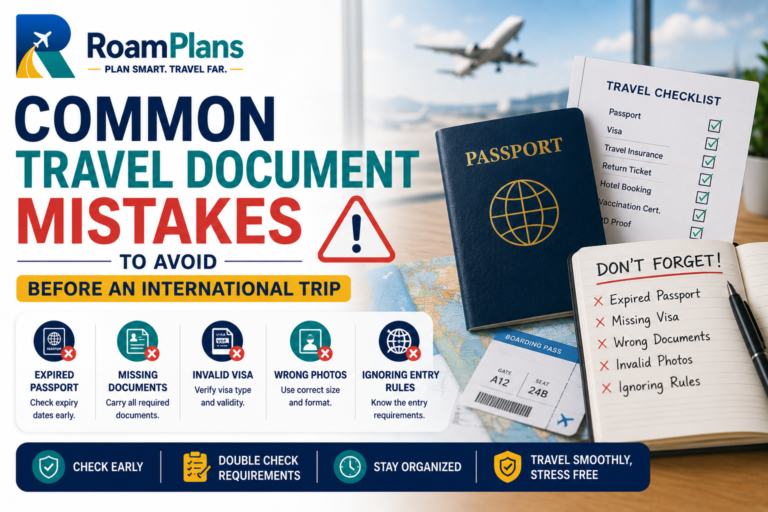
Storage is only one part of document safety. Review the related common travel document mistakes so names, passport numbers, visas, and bookings remain consistent as well.
A good storage system is simple. Most problems happen when travelers either carry too much or keep everything together.
1. Keeping Everything in One Wallet
Passport, cash, cards, copies, and insurance should not all disappear together.
Separate them.
2. Putting Originals in Checked Baggage
Passports and required entry documents should remain accessible during travel.
Checked luggage can be delayed or lost.
3. Saving Backups Only on One Phone
If the phone disappears, so do the backups.
Use another secure method too.
4. Storing Originals and Copies Together
A backup has little value if it is stolen with the original.
5. Carrying Every Original Every Day
If local law does not require every document and the day’s activity does not need it, unnecessary carrying can increase loss risk.
6. Leaving Passports in Easy-to-Reach Bag Pockets
Use an internal secure pocket.
7. Leaving Documents Visible in Hotel Rooms
Use secure storage instead of desks, open bags, or bedside tables.
8. Hiding a Passport in an Unusual Place
A very clever hiding place can become a forgotten passport at checkout.
Use one repeatable storage location.
9. Depending Completely on Hotel Wi-Fi
Keep essential documents available offline.
10. Using Weak Phone Security
A phone containing passport scans should have a strong screen lock.
11. Keeping Sensitive Documents in an Open Photo Gallery
Use secure storage for passport and visa copies.
12. Emailing Documents to Too Many People
Every extra copy creates another place where personal information could be exposed.
Share only what is useful.
13. Leaving a Passport in a Rental Car
A parked vehicle should not become your document safe.
14. Giving a Passport to a Business Without Good Reason
Avoid leaving your original passport as a long-term deposit unless there is a valid legal or official reason.
15. Forgetting to Check the Hotel Safe Before Checkout
Make the safe part of your final room check every time.
16. Treating a Passport Copy as a Real Passport
A copy can help during an emergency but does not normally replace the original for international travel.
17. Forgetting to Update Old Digital Copies
After a passport or document is replaced, update your travel folder so you do not rely on outdated information.
A Safer Travel Document Setup
For most international trips, I would use a system like this.
On Travel Days
Carry:
-
✓Passport
-
✓Visa or entry documents
-
✓Required vaccination proof
-
✓Boarding documents
-
✓Driver’s license or IDP where needed
Keep them inside your personal carry-on.
At Your Accommodation
Where local rules allow, store documents you do not need that day in a secure location.
Keep backups separate from originals.
On Your Phone
Store:
-
✓Offline copies
-
✓Insurance information
-
✓Hotel address
-
✓Flight details
-
✓Emergency contacts
Protect the device with a strong lock.
In Secure Online Storage
Keep backup copies of your most important travel documents.
Use strong account security.
With a Trusted Person at Home
For a major international trip, consider leaving selected emergency information such as:
-
✓Passport copy
-
✓Insurance details
-
✓Basic itinerary
-
✓Emergency contact information
You do not need to give them every booking or private record.
Final Travel Document Safety Checklist
Use this before departure and during the trip.
Before Leaving Home
-
✓Passport copied
-
✓Visa copied where relevant
-
✓Insurance saved offline
-
✓Required vaccination document copied
-
✓Driver’s license or IDP copied where useful
-
✓Emergency contacts saved
-
✓Secure cloud backup created
-
✓Important files available offline
-
✓Trusted emergency contact has useful backup information
-
✓Phone protected with strong lock
-
✓Account recovery methods checked
At the Airport
-
✓Passport in personal carry-on
-
✓Required entry documents accessible
-
✓Nothing important in checked baggage
-
✓Passport returned to its fixed pocket after checks
-
✓Security tray checked
-
✓Seat pocket checked before leaving aircraft
At Your Accommodation
-
✓Passport stored according to local rules and daily needs
-
✓Hotel safe or secure storage checked
-
✓Copies kept separately
-
✓Backup payment card separated from main wallet
-
✓Documents not left visible
During Sightseeing
-
✓Carry only required originals
-
✓Bag remains closed
-
✓Passport not in an easy-access pocket
-
✓Phone secured
-
✓Bag not left unattended
-
✓Emergency payment method available
Before Checkout
-
✓Hotel safe checked
-
✓Passport confirmed
-
✓Driver’s license confirmed
-
✓IDP confirmed where carried
-
✓Vaccination certificate confirmed
-
✓Chargers and devices checked
-
✓Paper documents collected
If Something Is Lost
-
✓Search recent locations carefully
-
✓Contact accommodation or transport company
-
✓Report theft where needed
-
✓Contact embassy or consulate for passport loss
-
✓Freeze stolen payment cards
-
✓Secure email and cloud accounts
-
✓Access backup documents
-
✓Contact travel insurer where relevant
-
✓Update canceled or replaced document copies
Frequently Asked Questions
Use more than one location. Keep originals secure, store paper copies separately, and maintain protected digital backups.
It depends on local law and your activity. Some countries require foreign visitors to carry original identification. Where that is not required, leaving the passport securely at your accommodation may reduce loss risk during normal sightseeing.
It can be useful, but do not keep every valuable and every backup in the same safe.
A passport can be kept in a personal bag if it is inside a secure internal compartment. Avoid open or easy-access outside pockets.
No. Keep it with you during international flights and border crossings.
A photocopy is useful as backup information but does not normally replace the original passport for international travel.
Yes. A secure digital copy can help if the original is lost. Store it somewhere protected rather than only in an open photo gallery.
Email can work as one backup, but it should not be your only storage method. Protect the email account with strong security.
It can be useful if the account has a strong unique password, two-factor authentication, and secure recovery options.
A paper copy can be helpful during an emergency, especially if your phone is unavailable. Keep it separately from the original.
It is generally better to avoid leaving important identity documents in an unattended vehicle unless a specific local requirement makes it necessary.
A money belt can be useful where you need to carry valuable originals or emergency cash, especially in crowded areas. Use it as hidden storage rather than opening it constantly in public.
Confirm it is missing, report the theft where appropriate, contact your embassy or consulate, access your backup information, and follow the replacement process.
Do not assume so. Once a passport has been officially canceled, it should not be used for travel. Follow the issuing authority’s instructions.
Useful offline documents include your passport copy, visa, insurance details, accommodation address, flight confirmation, and emergency contacts.
Keep the policy available digitally and save the emergency assistance number somewhere easy to reach offline.
Protect required original certificates from water and damage, keep them in your carry-on when needed for entry, and maintain a secure digital backup.
Keep each child’s documents grouped clearly, but maintain adult control over originals and backups. Do not depend on one child carrying the only copy.
Secure the phone and online accounts, freeze affected cards, contact the embassy or consulate, use your separate paper or cloud backups, and contact your trusted emergency person.
For a major international trip, giving a trusted person a secure copy can be useful during an emergency. Share only information they may genuinely need.
Final Thoughts
In short, travel document safety is less about finding one perfect hiding place and more about avoiding one point of failure.
I would never want one stolen bag to contain my passport, every payment card, every document copy, and the only information needed to replace them.
A better setup is simple:
Protect the original, separate the backup, secure the digital copy, and carry only what you need.
Keep your passport accessible on travel days, follow local identification rules during the trip, and save essential information offline.
The system should also be easy enough that you follow it every day. If your security setup is so complicated that you constantly move documents between five hiding places, it can create its own risk.
Use a few consistent locations, check them before every transfer or hotel checkout, and make sure you still have a way to recover important information if your main bag or phone disappears.

Adnan Ahmed
RoamPlans AuthorTravel Planning Researcher & Editor
Adnan Ahmed is the travel planning researcher and editor behind RoamPlans. He creates clear, practical guides to help travelers compare destinations, plan routes, estimate costs, and avoid common trip-planning mistakes. His work combines careful source research, official travel information, and regular content reviews to keep each guide useful and current.
- ✓Destination Research
- ✓Budget Planning
- ✓Route Planning
- ✓Beginner Travel Guides
Turn This Guide into a Practical Trip Plan
Use the recommended Editorial Policy or explore more free RoamPlans tools.