Taxi vs Uber vs Local Ride Apps: Which Should You Use Abroad?
Getting around an unfamiliar city can feel difficult when you do not know which private transport option to trust.
You may see traditional ↗ taxis outside the airport, Uber vehicles on your phone, and local ride apps that you have never used before. Each option can work well, but the best choice depends on price, availability, safety, payment, luggage, and location.
When I arrive in a new destination, I first check which ride apps work legally in that city. I also compare the app estimate with the official taxi fare. At airports, I confirm the pickup area before requesting a ride because drivers may not be allowed to stop outside every terminal.
This guide compares taxi vs Uber vs local ride apps. It explains how each service works, how fares are calculated, what extra charges to expect, and which option may suit different travel situations.
A taxi app is a booking channel, not one universal type of vehicle. Uber and local apps may dispatch licensed taxis or other authorized vehicles, depending on the city and selected product. Compare the actual vehicle category, fare method, pickup location and payment terms for the same journey. No option is always cheaper or safer simply because of its name.
Taxi rules, ride-app availability, fares, pickup zones, and payment methods differ by country and city. An app that works in one destination may be restricted or unavailable in another. Check official local transport and airport information before travel.
Key Takeaways
- ✓Traditional taxis can work without mobile data or an app.
- ✓Uber may offer clear driver, vehicle, route, and price information.
- ✓Local ride apps may have better coverage than Uber in some cities.
- ✓Compare the full fare, including tolls, booking fees, and surge pricing.
- ✓Use official taxi ranks and verify every app vehicle before entering.
- ✓Keep the destination address in the local language.
- ✓Save a backup option for late-night or airport travel.
The guide to choosing transportation for your trip ↗ explains how taxis and ride apps fit with public transport, trains, buses, and rental cars.
How Traditional Taxis Work Abroad?

A traditional taxi is a licensed vehicle that carries passengers for a fare.
You may find one through:
- ✓Official taxi rank
- ✓Street hail
- ✓Hotel desk
- ✓Phone booking
- ✓Taxi company app
- ✓Restaurant
- ✓Train station
- ✓Airport terminal
Official Taxi Ranks
A taxi rank is a marked waiting area for licensed taxis.
You may find one outside:
- ✓Airport
- ✓Railway station
- ✓Bus terminal
- ✓Hotel
- ✓Shopping area
- ✓Tourist attraction
- ✓City square
At busy locations, staff may direct passengers to the next available taxi.
Street-Hail Taxis
Some cities allow passengers to stop an available taxi on the street.
Check for signs such as:
- ✓Roof light
- ✓Available light
- ✓Official color
- ✓Taxi number
- ✓Meter
- ✓Company logo
Street hailing may not be allowed in every city.
Hotel-Arranged Taxis
A hotel may call a taxi or private driver for you.
This can help when:
- ✓You do not speak the local language
- ✓You need an early airport ride
- ✓The area has weak app coverage
- ✓You need a larger vehicle
- ✓You need a child seat
Ask whether the hotel adds a booking fee.
Taxi Meters
A metered taxi calculates the fare during the ride.
The meter may include:
- ✓Starting fare
- ✓Distance rate
- ✓Time rate
- ✓Waiting time
- ✓Night rate
- ✓Luggage fee
- ✓Airport fee
- ✓Toll
The driver should start the meter when the trip begins if local rules require it.
Fixed Taxi Fares
Some routes use a fixed price.
Fixed fares are common for:
- ✓Airport to city center
- ✓Port to hotel
- ✓Popular tourist routes
- ✓Travel between set zones
Confirm whether the fixed price includes:
- ✓Toll
- ✓Airport fee
- ✓Luggage
- ✓Extra passengers
- ✓Night charge
Taxi Receipts
Ask for a receipt after the ride.
A receipt may show:
- ✓Taxi number
- ✓Driver or company
- ✓Date
- ✓Route
- ✓Fare
- ✓Payment method
Keep it when you have a complaint or leave something inside the vehicle.
Benefits of Traditional Taxis
A taxi may work well because:
- ✓No app is required
- ✓Mobile data is not needed
- ✓Cars may wait at major locations
- ✓Cash may be accepted
- ✓Local drivers may know the area
- ✓Airport ranks are easy to find
Limits of Traditional Taxis
Possible problems include:
- ✓Unclear fare before departure
- ✓Language difficulty
- ✓Cash-only payment
- ✓Longer route disputes
- ✓Limited receipt information
- ✓Fake or unlicensed taxis
- ✓No driver rating
- ✓No live route tracking
Use licensed services and check the fare method before entering.
How Uber Works Abroad?
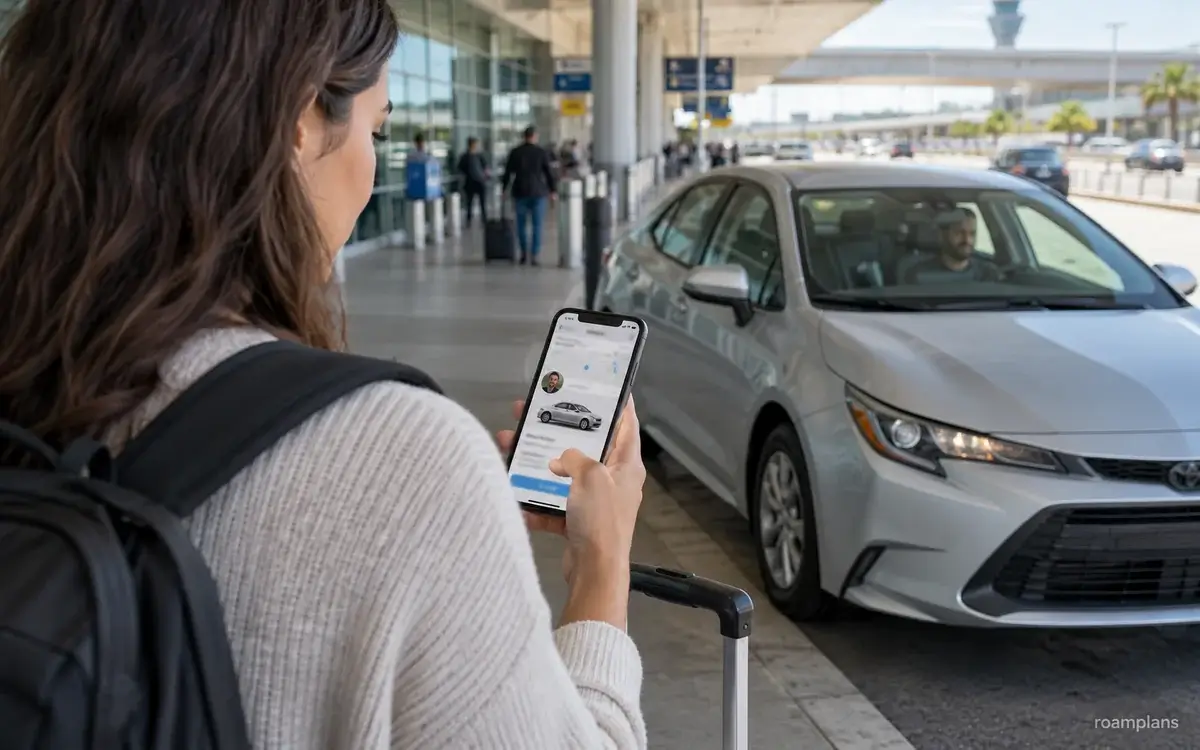
Uber is a ride-hailing platform that connects passengers with nearby drivers through an app.
It does not operate in every country or city. In some places, it may connect passengers with licensed taxi drivers instead of private ride-hailing vehicles.
Before Using Uber
Check:
- ✓Whether Uber operates in the city
- ✓Whether airport pickup is allowed
- ✓Which service types are available
- ✓Whether your payment card works
- ✓Whether your phone number can receive messages
- ✓Whether mobile data is available
Install and sign in before the trip where possible.
Booking an Uber Ride
The normal process is:
- 1Open the app.
- 2Confirm your pickup point.
- 3Enter the destination.
- 4Choose a vehicle type.
- 5Review the price estimate.
- 6Request the ride.
- 7Check the driver and vehicle.
- 8Meet the driver at the pickup point.
Driver and Vehicle Details
The app may show:
- ✓Driver name
- ✓Driver photo
- ✓Vehicle make
- ✓Vehicle model
- ✓Color
- ✓Registration plate
- ✓Driver rating
- ✓Estimated arrival time
Compare these details before entering.
Uber Pickup Points
The app may move the pickup pin to an approved area.
At airports, pickup may be in:
- ✓Ride-app zone
- ✓Parking garage
- ✓Departures level
- ✓Ground transport area
- ✓Another terminal section
Follow official signs rather than waiting in an unauthorized lane.
Fare Estimate
Uber may show:
- ✓Upfront price
- ✓Estimated range
- ✓Metered taxi fare
- ✓Price based on time and distance
The final charge may change after:
- ✓Route change
- ✓Added stop
- ✓Long waiting time
- ✓Toll
- ✓Airport fee
- ✓Destination change
- ✓Heavy traffic under some fare types
Ride Tracking
The app can show:
- ✓Driver location
- ✓Pickup route
- ✓Journey route
- ✓Expected arrival
- ✓Trip progress
This can help when you do not know the city.
Trip Sharing
Some app versions let you share trip details with a trusted contact.
The shared information may include:
- ✓Driver
- ✓Vehicle
- ✓Route
- ✓Estimated arrival
Uber Receipts
A digital receipt may arrive through the app or email.
Check:
- ✓Fare
- ✓Booking fee
- ✓Toll
- ✓Waiting fee
- ✓Tip
- ✓Currency
- ✓Exchange rate from your bank
Benefits of Uber
Uber may offer:
- ✓Price estimate before booking
- ✓Driver and vehicle details
- ✓Cashless payment
- ✓Route tracking
- ✓Digital receipt
- ✓In-app support
- ✓Saved destination
- ✓Less language difficulty
Limits of Uber
Possible limits include:
- ✓Unavailable in some places
- ✓High surge pricing
- ✓Driver cancellations
- ✓Mobile data requirement
- ✓Wrong pickup pin
- ✓Card failure
- ✓Long airport walk
- ✓Low supply in rural areas
Do not depend on one app for every journey.
How Local Ride Apps Work?
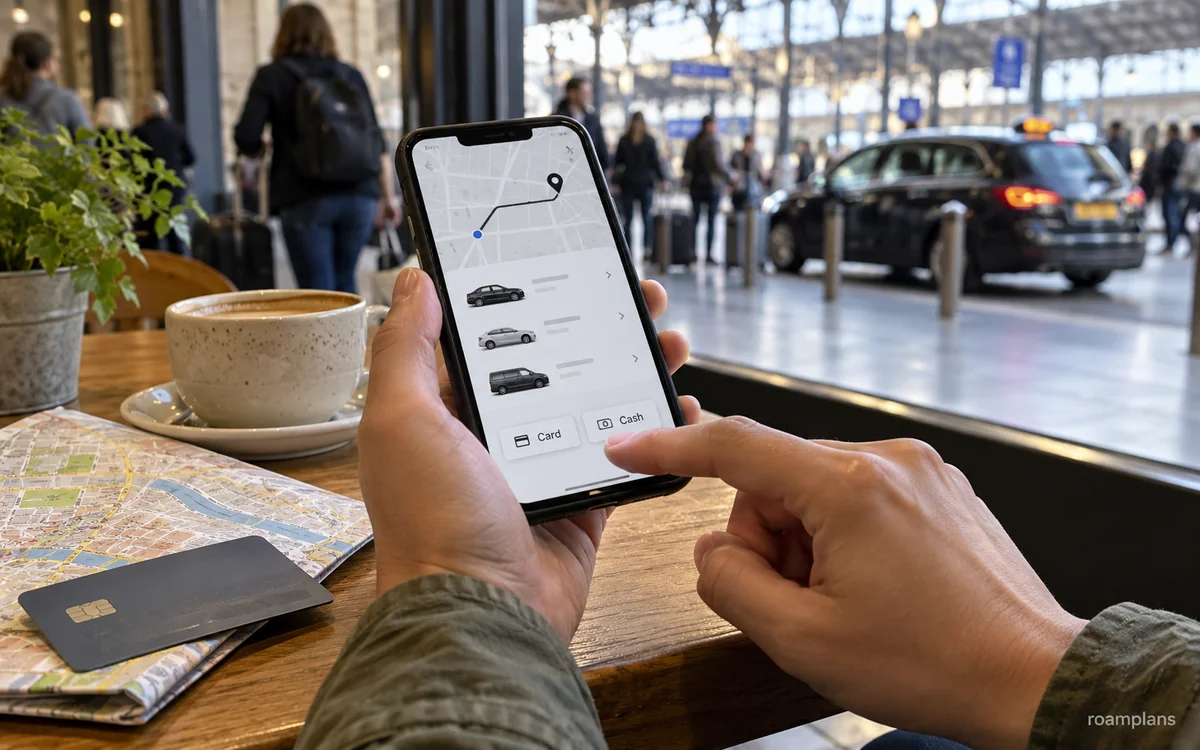
A local ride app works in a similar way to Uber but may focus on one country, region, or group of cities.
In some destinations, local apps are more common than international platforms.
Why Travelers May Need a Local App?
A local app may offer:
- ✓More drivers
- ✓Shorter waiting times
- ✓Lower fares
- ✓Local taxi booking
- ✓Cash payment
- ✓Better regional coverage
- ✓Local customer support
- ✓Local map accuracy
Types of Local Ride Apps
A local app may connect you with:
- ✓Private driver
- ✓Licensed taxi
- ✓Motorcycle taxi
- ✓Auto-rickshaw
- ✓Shared car
- ✓Minivan
- ✓Airport transfer
- ✓Premium vehicle
Check the vehicle type carefully before booking.
Account Setup
A local app may require:
- ✓Phone number
- ✓SMS code
- ✓Email
- ✓Local payment card
- ✓Local mobile number
- ✓Identity check
Set up the app before leaving Wi-Fi if possible.
Language Options
Some local apps offer English. Others may use only the local language.
Use screenshots, translation tools, or help from your accommodation when needed.
Payment Options
A local app may accept:
- ✓Cash
- ✓Bank card
- ✓Mobile wallet
- ✓Local payment account
- ✓Stored app balance
A foreign card may not always work.
Driver Details
The app may show:
- ✓Driver name
- ✓Driver photo
- ✓Vehicle plate
- ✓Vehicle type
- ✓Rating
- ✓Phone number
- ✓Pickup time
The amount of information differs by platform.
Local App Fare Types
The fare may be:
- ✓Fixed before booking
- ✓Estimated before booking
- ✓Metered
- ✓Negotiated
- ✓Based on time and distance
Read the payment screen before requesting the ride.
Benefits of Local Ride Apps
They may offer:
- ✓Better local coverage
- ✓More vehicle choices
- ✓Lower prices
- ✓Cash payment
- ✓Local taxi access
- ✓Better rural service
- ✓Local promotions
Limits of Local Ride Apps
Possible issues include:
- ✓Foreign card rejection
- ✓Local phone requirement
- ✓Limited English support
- ✓Harder refund process
- ✓Unknown safety tools
- ✓Difficult customer support
- ✓Unfamiliar app permissions
Use official app-store listings and check recent traveler reports before entering payment details.
Taxi vs Uber vs Local Ride Apps Comparison
The best option depends on your destination and travel needs. This table compares a taxi hired at a rank or on the street with an app-booked ride. An app can also dispatch a taxi, so these categories overlap. Check the local product rather than assuming every Uber or local-app booking has the same pricing or protections.
| Feature | Traditional taxi | Uber | Local ride app |
|---|---|---|---|
| App required | No | Yes | Usually |
| Mobile data needed | No | Usually | Usually |
| Price shown before ride | Sometimes | Often | Often |
| Cash accepted | Often | Depends on city | Often in some markets |
| Card payment | Sometimes | Usually | Depends on app |
| Driver details shown | Limited | Usually | Usually |
| Route tracking | Passenger app tracking not necessarily included | Available in app | Depends on platform |
| Digital receipt | Sometimes | Yes | Often |
| Airport availability | Often strong | Varies | Varies |
| Rural coverage | Local taxis may work | Often limited | May be stronger locally |
| Language help | Limited | App reduces need | Depends on app |
| Surge pricing | Usually no app surge | Possible | Possible |
| Street pickup | Often possible | No | Usually no |
| Safety rating system | Usually no | Yes | Often |
| Customer support | Taxi company or regulator | In app | Depends on platform |
Choose a Taxi When
A traditional taxi may be useful when:
- ✓You have no internet
- ✓A licensed taxi rank is nearby
- ✓The route has an official fixed fare
- ✓The app wait is long
- ✓You need immediate pickup
- ✓Local taxis are well regulated
- ✓Your bank card does not work in apps
Choose Uber When
Uber may be useful when:
- ✓It has strong local coverage
- ✓You want a fare estimate
- ✓You prefer cashless payment
- ✓You want route tracking
- ✓Language is a concern
- ✓You need a digital receipt
- ✓The airport has a clear app pickup zone
Choose a Local Ride App When
A local app may be useful when:
- ✓Uber is unavailable
- ✓Local coverage is stronger
- ✓Fares are lower
- ✓Cash payment is supported
- ✓The app offers local vehicle types
- ✓Drivers know regional areas
- ✓It is the main legal platform in the destination
The article How to Choose the Best Transportation for Your Trip ↗ gives a wider method for comparing private rides with public transit and rental cars.
Which Option Is Usually Cheaper?
There is no single cheapest option.
The price can change by:
- ✓City
- ✓Time
- ✓Distance
- ✓Traffic
- ✓Airport
- ✓Demand
- ✓Toll roads
- ✓Vehicle type
- ✓Local law
Compare the same pickup point, destination, time and suitable vehicle category. Add only fees not already included in the displayed quote: tolls or airport charges may already be counted. Compare the total for the group, then divide if you want a per-person cost. A promotion, different pickup bay or smaller vehicle can make two prices look more comparable than they really are.
When Taxis May Cost Less
A taxi may be cheaper when:
- ✓A regulated fixed fare applies
- ✓Ride apps have surge pricing
- ✓The journey is short
- ✓The taxi rank has no booking fee
- ✓The app adds an airport surcharge
- ✓Several app drivers cancel
When Uber May Cost Less
Uber may cost less when:
- ✓Supply is high
- ✓Demand is normal
- ✓The taxi has a high starting fare
- ✓The route is long
- ✓App promotions apply
- ✓The city taxi rate is expensive
When a Local App May Cost Less
A local app may offer lower prices because:
- ✓It has more drivers
- ✓It uses local payment methods
- ✓It has lower booking fees
- ✓It competes strongly in that city
- ✓It offers motorcycle or shared rides
Compare More Than the Fare
A lower price may not be the best value when it adds:
- ✓Long wait
- ✓Long walk to pickup
- ✓Several cancellations
- ✓Cash withdrawal fee
- ✓Luggage problem
- ✓Unsafe pickup area
Consider price, time, and reliability together.
Simple Ride Cost Comparison
| Cost item | Taxi | Uber | Local app |
|---|---|---|---|
| Base fare | |||
| Distance or time | |||
| Booking fee | |||
| Airport fee | |||
| Toll | |||
| Waiting fee | |||
| Luggage fee | |||
| Currency or bank fee | |||
| Estimated total |
Metered Fares Vs App Fare Estimates
Traditional taxis and ride apps may calculate fares in different ways.
Metered Taxi Fare
A meter may charge for:
- ✓Starting fare
- ✓Distance
- ✓Time in traffic
- ✓Waiting
- ✓Night travel
- ✓Airport pickup
The final price is not always known before departure.
Fixed Taxi Fare
A fixed fare gives a set price for a route.
Confirm it before entering the taxi.
Ask whether the price covers all passengers and luggage.
Upfront App Fare
An upfront fare shows a price before you request the ride. Read whether the screen shows an estimate, a fixed price or a metered taxi product. Uber’s official pricing explanation ↗ describes how trip conditions and local rules affect pricing, and notes that its U.S. examples do not apply everywhere. Review the local fare breakdown rather than assuming every additional line is extra.
It may change if you:
- ✓Add a stop
- ✓Change destination
- ✓Keep the driver waiting
- ✓Take a different route
- ✓Use a toll road
Estimated App Fare
An estimated fare gives a range rather than a fixed amount.
The final charge may depend on time, traffic, and distance.
Taxi App with Metered Fare
Some apps book a licensed taxi but still use the taxi meter.
The app may show only an estimated fare.
Read the fare type before confirming.
Surge Pricing and Other Extra Charges
Ride apps may raise prices when demand is high and driver supply is low.
This is often called surge pricing or dynamic pricing.
When Surge Pricing May Appear
It may happen during:
- ✓Rush hour
- ✓Rain
- ✓Public transport closure
- ✓Concert
- ✓Sports event
- ✓Festival
- ✓Airport arrival peak
- ✓Late night
- ✓Holiday
What to Do During a Surge
You can:
- ✓Wait and check again
- ✓Compare another app
- ✓Check an official taxi fare
- ✓Walk to a less busy pickup area
- ✓Use public transportation
- ✓Book in advance where available
Do not walk to an unsafe area only to reduce the fare.
Booking Fee
An app may add a booking or service fee.
This may appear separately from the main fare.
Waiting Fee
The driver may begin charging after reaching the pickup point.
Be ready before requesting the ride.
Cancellation Fee
A fee may apply when:
- ✓You cancel after a set time
- ✓The driver has already arrived
- ✓You do not appear
- ✓The pickup point is wrong
You may be able to dispute the fee when the driver did not follow the pickup instructions.
Toll Charges
Tolls may be:
- ✓Included in the estimate
- ✓Added after the ride
- ✓Paid directly by the passenger
- ✓Charged through the app
Check the receipt.
Airport Surcharge
Airports may charge:
- ✓Pickup fee
- ✓Drop-off fee
- ✓Facility fee
- ✓Terminal access fee
This can affect taxis and app rides.
Cleaning or Damage Fee
A service may charge after:
- ✓Spilled food
- ✓Vomit
- ✓Smoking
- ✓Vehicle damage
- ✓Heavy mess
Ask for evidence if you believe the charge is incorrect.
Airport Taxi and Ride-App Pickup Rules

Airports often use separate rules for taxis and ride apps.
Check the airport website before arriving.
Official Airport Taxi Rank
A licensed taxi rank may offer:
- ✓Staffed queue
- ✓Fixed fare
- ✓Regulated meter
- ✓Printed fare list
- ✓Larger vehicles
- ✓Accessible taxis
Ignore drivers who approach you inside the terminal unless the airport confirms that they are official.
Ride-App Pickup Zone
Uber and local apps may use a different area from taxis.
The pickup zone may be:
- ✓Parking garage
- ✓Ground transport level
- ✓Departures floor
- ✓Specific terminal door
- ✓Remote pickup area
Follow the airport signs and the current in-app pickup instructions. Confirm the floor and terminal after collecting your bags; request only when you can reach the assigned bay without rushing. A generic illustration of an airport pickup area is not a map of your actual airport.
Terminal Selection
Select the correct:
- ✓Airport
- ✓Terminal
- ✓Door
- ✓Zone
- ✓Floor
A wrong terminal can cause cancellation or a long wait.
Airport Wi-Fi
Connect to official airport Wi-Fi if mobile data is unavailable.
Do not enter sensitive payment details on an unknown public network.
Compare Airport Prices
Before choosing, compare:
- ✓Official taxi fare
- ✓App estimate
- ✓Airport bus
- ✓Train
- ✓Hotel transfer
The How to Use Public Transportation Abroad ↗ guide can help you compare the airport ride with local trains, metros, and buses.
Late Airport Arrivals
For a late arrival, check:
- ✓Taxi rank hours
- ✓App driver availability
- ✓Final public transport service
- ✓Hotel transfer
- ✓Safe waiting area
Save the accommodation address offline. Prepare a map and a workable backup with our navigation app guide ↗; a saved map does not keep ride booking, messaging or live tracking working without a connection.
Payment Methods
Payment rules differ between taxis, Uber, and local apps.
Cash
Cash may be common in traditional taxis and some local apps.
Before the ride:
- ✓Carry small notes
- ✓Ask whether change is available
- ✓Confirm the currency
- ✓Avoid showing all your cash
Do not hand over your passport as payment security.
Bank Card in a Taxi
A taxi may accept:
- ✓Chip and PIN
- ✓Contactless card
- ✓Mobile wallet
Ask before starting the ride.
A card machine that suddenly “does not work” may leave you searching for cash at the destination.
App Card Payment
Uber and local apps may charge a saved card automatically.
Check:
- ✓Currency
- ✓Foreign transaction fee
- ✓Card verification
- ✓Final receipt
- ✓Tip setting
Mobile Wallet
Some apps accept:
- ✓Apple Pay
- ✓Google Pay
- ✓Local mobile wallet
Local wallets may require a local bank account or phone number.
PayPal or Similar Services
Availability depends on the app and country.
Check before relying on it.
Tipping
Tipping rules differ by destination.
A tip may be:
- ✓Added in the app
- ✓Paid in cash
- ✓Included in the fare
- ✓Not expected
Check local custom rather than assuming your home-country rule applies.
Payment Backup
Carry at least two payment options, such as:
- ✓Bank card
- ✓Second card
- ✓Small cash amount
- ✓Another ride app
Mobile Data and App Requirements
Ride apps normally need internet access for booking, pickup, and route updates.
Prepare Before Travel
Before the trip:
- ✓Install the app
- ✓Create the account
- ✓Add payment
- ✓Verify the phone number
- ✓Update the app
- ✓Save login details
Mobile Data Options
You may use:
- ✓Roaming
- ✓Local SIM
- ✓eSIM
- ✓Airport Wi-Fi
- ✓Hotel Wi-Fi
Check coverage before depending on an app.
Phone Number Problems
Some apps may send:
- ✓SMS code
- ✓Driver call
- ✓Login code
- ✓Account alert
Make sure your number can receive messages abroad.
GPS and Location Permission
The app needs an accurate pickup point.
Check:
- ✓GPS enabled
- ✓Location permission
- ✓Correct terminal
- ✓Correct side of the street
- ✓Nearby landmark
Move the pickup pin when it appears in the wrong place.
Weak Signal
In a weak-signal area:
- ✓Save the destination
- ✓Take a screenshot of driver details
- ✓Note the plate
- ✓Stay near the pickup point
- ✓Keep a taxi number as backup
Phone Battery
A dead phone can make it hard to:
- ✓Find the vehicle
- ✓Contact the driver
- ✓Show the booking
- ✓Check the route
- ✓Report a problem
Carry a charged battery bank.
Language and Address Problems
A language difference can make pickup and destination details harder to explain.
Save the Address in the Local Language
Keep:
- ✓Hotel name
- ✓Full address
- ✓Local-language spelling
- ✓Phone number
- ✓Nearby landmark
A hotel business card can also help.
Use the Map Pin
A map pin may work better than a translated street name.
Check that the pin marks the correct building entrance.
Hotel With a Similar Name
Confirm:
- ✓Street
- ✓District
- ✓City
- ✓Postal code
- ✓Hotel branch
Large hotel brands may have several locations.
Explain the Pickup Point Clearly
Use a simple landmark such as:
- ✓Terminal door
- ✓Hotel entrance
- ✓Station exit
- ✓Shop name
- ✓Building number
Driver Calls
A driver may call when:
- ✓The pickup pin is unclear
- ✓The road is closed
- ✓The terminal has several levels
- ✓They cannot find you
Use in-app messages or translation tools where available.
Safety Checks Before Entering a Vehicle
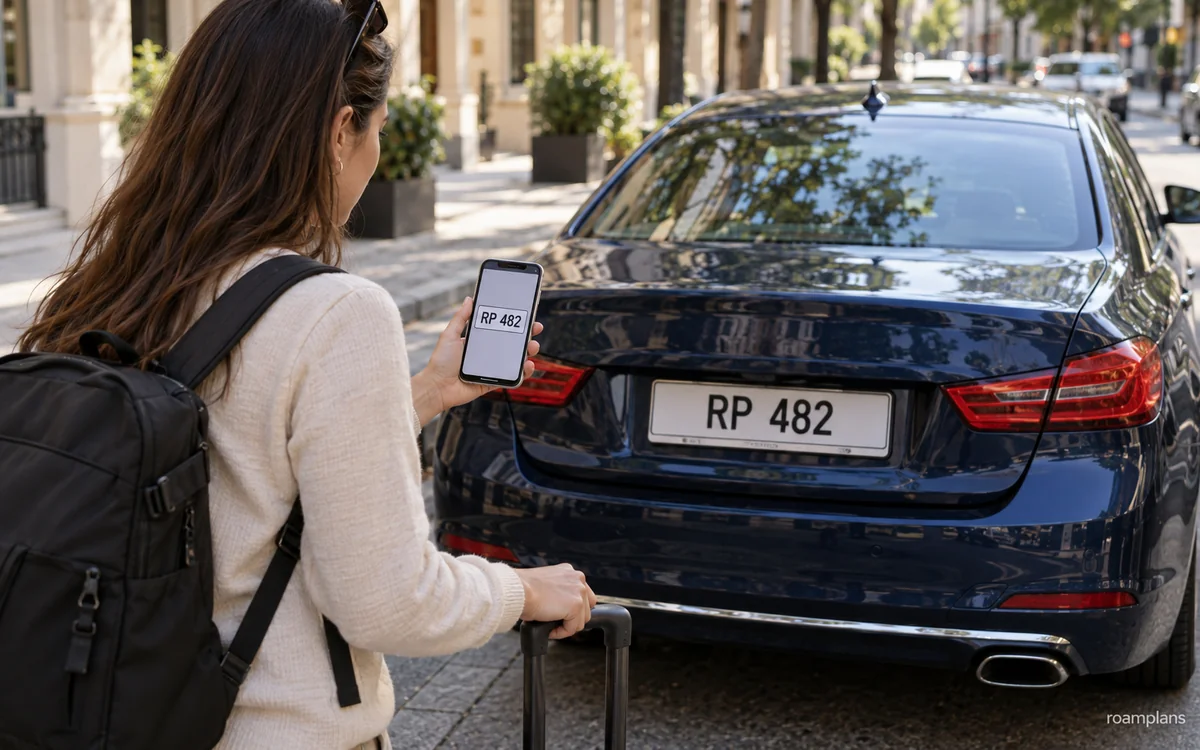
Never enter a taxi or app vehicle until you confirm that it is the correct one.
Take a few seconds to check the driver, vehicle, number plate, and pickup details.
Check the Vehicle Registration
For an app ride, compare the number plate in the app with the vehicle in front of you.
Also check:
- ✓Vehicle make
- ✓Vehicle model
- ✓Color
- ✓Driver name
- ✓Driver photo
Do not enter when the plate or vehicle does not match.
Ask the Driver to Confirm Your Name
Ask the driver to identify the booked passenger without volunteering your name first. A correct name is only one check, not proof that a ride is safe: also match the plate, car and driver shown in the booking.
You can ask:
“Who are you picking up?”
Do not say your name first if several drivers are waiting nearby.
Confirm the Destination
Check that the app shows the correct:
- ✓Hotel
- ✓Airport
- ✓Terminal
- ✓Station
- ✓Street address
- ✓City district
A wrong map pin can send you to another hotel or airport terminal.
Check the Doors and Seat Belts
Before the ride begins, check:
- ✓Seat belt works
- ✓Door opens normally
- ✓Child lock is not blocking your exit without reason
- ✓Luggage is stored safely
Wear the seat belt even when local passengers do not.
Sit in a Safe Position
A solo traveler may prefer the rear seat.
This can provide:
- ✓More personal space
- ✓Easier exit
- ✓Clear view of the route
- ✓Distance from the driver
Choose the seat that feels safest for the situation.
Follow the Route
Use the app or an offline map to follow the journey.
A different route does not always mean a problem. The driver may avoid:
- ✓Traffic
- ✓Road closure
- ✓Construction
- ✓Event area
- ✓Toll road
Ask politely when the route seems very different.
Share the Trip
Where available, share the trip with a trusted person. Uber’s official rider safety page ↗ describes tools such as trip sharing and ride verification. Check what is actually available in your destination and app version; features, screening and emergency integrations are not identical worldwide and do not guarantee safety.
Share:
- ✓Driver name
- ✓Vehicle plate
- ✓Route
- ✓Estimated arrival
- ✓Live location
For a traditional taxi, send a photo or note of the taxi number.
Avoid Off-App Changes
An app driver may ask you to:
- ✓Cancel the booking
- ✓Pay cash
- ✓Continue outside the app
- ✓Use another vehicle
- ✓Move to an unofficial pickup area
Do not cancel an app booking to continue as a privately arranged off-app ride. If the driver or vehicle differs from the booking, stay out and contact official support from a suitable waiting area. A cash payment selected within the app is different from being asked to cancel and pay privately.
Cancel and request another ride when the details do not match.
Trust Your Judgment
Do not enter or remain in a vehicle when:
- ✓The plate is different
- ✓The driver is different
- ✓Another person is inside unexpectedly
- ✓The vehicle feels unsafe
- ✓The driver appears impaired
- ✓The driver refuses to follow the booking
- ✓You feel pressured
Move to a busy, well-lit area and choose another service.
How to Identify a Licensed Taxi?
A licensed taxi should follow local rules.
The exact signs differ by destination.
Look for Official Markings
A licensed taxi may have:
- ✓Roof sign
- ✓Taxi number
- ✓Company logo
- ✓Official color
- ✓Licence sticker
- ✓Fare notice
- ✓Meter
- ✓Driver identification
Do not rely on color alone because private cars may look similar.
Use an Official Taxi Rank
Official taxi ranks are often the safest place to find a licensed taxi.
Look for:
- ✓Airport signs
- ✓Queue barriers
- ✓Transport staff
- ✓Printed fares
- ✓Marked vehicles
Avoid drivers who approach travelers away from the official queue.
Check the Meter
Where metered fares are required, the taxi should have a working meter.
Before the ride:
- ✓Ask whether the meter will be used
- ✓Check the starting fare
- ✓Look for a printed rate
- ✓Confirm added fees
Do not accept an unclear price after the vehicle starts moving.
Check the Driver Identification
The driver may display:
- ✓Name
- ✓Photo
- ✓Licence number
- ✓Taxi permit
- ✓Company details
The displayed photo should match the driver.
Ask for a Fixed Fare in Writing
For an airport or long route, ask for written confirmation when a fixed fare applies.
The proof may be:
- ✓Printed ticket
- ✓Airport desk receipt
- ✓App booking
- ✓Written message
Confirm whether tolls and luggage are included.
Check the Taxi Number
Record the taxi number before leaving.
This can help after:
- ✓Lost property
- ✓Fare complaint
- ✓Safety problem
- ✓Receipt request
Common Taxi and Ride-App Scams

Most drivers provide normal service. However, travelers should know the common warning signs.
Unlicensed Airport Driver
A person inside the terminal may offer a “cheap taxi” or “official car.”
They may:
- ✓Have no licence
- ✓Charge a high fare
- ✓Lead you away from the official area
- ✓Use an unmarked vehicle
Use the airport taxi rank, official transfer desk, or approved app pickup zone.
Broken Meter Claim
A driver may say the meter is broken after the ride begins.
Before leaving:
- ✓Confirm the fare
- ✓Ask for the meter
- ✓Leave the vehicle if the terms are unclear and it is safe to do so
Meter Not Started
A driver may begin driving without starting the meter.
Ask for it to be switched on where local rules require metered travel.
Fast or Altered Meter
A meter may increase faster than expected.
Check the official fare chart where available.
Record the taxi number and receipt for a complaint.
Long Route Scam
A driver may take a longer route to increase the fare.
Follow the route on your phone, but remember that closures and traffic can require a detour.
Ask for a reason when the route changes greatly.
Wrong Currency
A driver may confuse local currency with another currency or claim that you gave a smaller note.
To reduce this risk:
- ✓Say the note value aloud
- ✓Use small notes
- ✓Count change before leaving
- ✓Pay by card where trusted
No Change
A driver may claim to have no change.
Ask before the ride if you have a large note.
Carry smaller cash amounts.
Fake App Driver
A driver may claim to be your app ride without matching the booking.
Never enter until the number plate, driver, and vehicle match.
Driver Asks You to Cancel
An app driver may ask you to cancel so they can avoid platform fees or rules.
This can remove:
- ✓Trip tracking
- ✓App support
- ✓Digital receipt
- ✓Platform safety tools
Keep the ride inside the app.
Cash Payment After App Charge
A driver may ask for cash even though the app has already charged your card.
Check the payment method in the app.
Do not pay twice.
Fake Toll or Airport Fee
A driver may add an unofficial charge for:
- ✓Toll
- ✓Terminal
- ✓Luggage
- ✓Road access
Ask for a receipt and compare the amount with the app or official fare information.
Wrong Destination Claim
A driver may say the destination is farther than shown and request more money.
Check:
- ✓App destination
- ✓Map pin
- ✓Hotel address
- ✓Agreed fare
Do not accept an unexplained change.
Unofficial Ride Upgrade
A driver may offer a larger or premium vehicle for an added cash fee.
Use the vehicle type shown in the booking.
Card Machine Problem
A taxi driver may say the card machine does not work after arrival.
Before leaving:
- ✓Ask whether cards are accepted
- ✓Check for an official card sign
- ✓Carry backup cash
- ✓Request a receipt
Traveling with Luggage
Luggage can affect vehicle choice, pickup, and final cost.
Do not assume every taxi or ride vehicle can hold all your bags.
Count Bags Before Booking
Count:
- ✓Large suitcases
- ✓Cabin bags
- ✓Pushchair
- ✓Wheelchair
- ✓Sports equipment
- ✓Shopping bags
Compare this with the vehicle capacity.
Choose the Correct Vehicle Type
A small car may suit one or two travelers with light bags.
A larger vehicle may be needed for:
- ✓Family
- ✓Group
- ✓Several large suitcases
- ✓Pushchair
- ✓Ski equipment
- ✓Wheelchair
Book the correct size rather than hoping for extra boot space.
Luggage Fees
Traditional taxis in some cities may charge for:
- ✓Large suitcase
- ✓Extra bag
- ✓Roof luggage
- ✓Airport luggage
Check whether the fee is official.
Ride apps may include normal luggage in the fare, but the driver can refuse unsafe loads.
Keep Valuables with You
Keep these items inside the passenger area:
- ✓Passport
- ✓Wallet
- ✓Phone
- ✓Laptop
- ✓Medicine
- ✓Camera
- ✓Travel documents
Do not place them in the boot unless necessary.
Watch Bags During Loading
Stay near the vehicle while bags are loaded.
Before leaving, check:
- ✓Boot
- ✓Back seat
- ✓Floor
- ✓Door pockets
Large or Special Equipment
For items such as:
- ✓Bicycle
- ✓Surfboard
- ✓Golf clubs
- ✓Ski equipment
- ✓Musical instrument
Contact the service before booking.
A normal vehicle may not accept them.
Airport Pickup with Luggage
At an airport:
- ✓Choose the correct terminal
- ✓Check lift access to the pickup zone
- ✓Keep bags together
- ✓Do not leave the terminal with an unofficial driver
- ✓Select a larger vehicle where needed
Child Seats and Family Travel
Traveling with children requires added planning.
Child-seat laws differ by country, state, and city.
Check Local Child-Seat Rules
Check:
- ✓Required seat type
- ✓Child age
- ✓Child height
- ✓Child weight
- ✓Front-seat rules
- ✓Taxi exemptions
- ✓Ride-app rules
A taxi exemption does not always mean that traveling without a seat is the safest choice.
Request a Child Seat
Some taxi companies and ride apps offer:
- ✓Infant seat
- ✓Child seat
- ✓Booster seat
Check:
- ✓Availability
- ✓Added fee
- ✓Advance booking
- ✓Age and weight limit
- ✓Installation responsibility
Do not assume the seat will be available on demand.
Bring Your Own Child Seat
A personal seat may offer better fit and familiarity.
Before bringing one, check:
- ✓Airline transport rules
- ✓Vehicle compatibility
- ✓Local safety standard
- ✓Installation method
- ✓Storage during the trip
Confirm the Vehicle Size
A child seat reduces passenger and luggage space.
A family may need a larger vehicle even when the normal seat count looks enough.
Keep Children Away from Traffic
At pickup:
- ✓Wait away from the road
- ✓Load children from the pavement side
- ✓Prepare bags before the car arrives
- ✓Hold hands near airport lanes
- ✓Do not let children run between vehicles
Family Pickup Planning
Allow extra time for:
- ✓Installing the seat
- ✓Folding a pushchair
- ✓Loading bags
- ✓Finding the correct pickup area
- ✓Toilet stops
Accessibility
Travelers with mobility, visual, hearing, or other access needs should check vehicle support before the journey.
Wheelchair-Accessible Vehicles
A wheelchair-accessible vehicle may include:
- ✓Ramp
- ✓Lift
- ✓Wheelchair space
- ✓Secure straps
- ✓Wider door
- ✓Higher roof
Book in advance where possible.
Folding Wheelchairs
A normal taxi or larger app vehicle may carry a folding wheelchair.
Confirm:
- ✓Boot size
- ✓Driver assistance
- ✓Passenger transfer needs
- ✓Number of travelers
Service Animals
Check local rules for:
- ✓Service animals
- ✓Assistance dogs
- ✓Driver refusal
- ✓Documentation
- ✓Cleaning fees
Official accessibility rules may differ from normal pet policies.
Hearing or Speech Support
An app may make communication easier through:
- ✓Written pickup notes
- ✓In-app messages
- ✓Saved destination
- ✓Visual driver details
A traditional taxi company may also accept a text or online booking.
Visual Support
Useful app features may include:
- ✓Voice navigation
- ✓Driver photo
- ✓Vehicle plate
- ✓Live location
- ✓Trip sharing
Ask airport or hotel staff for help reaching the correct vehicle where needed.
Driver Assistance
Do not assume the driver can provide physical lifting.
Ask the company about the support available before booking.
Accessibility Fees
Check whether an accessible vehicle costs more.
Some locations require the same regulated fare as a normal taxi.
Late-Night Travel
Private rides can be useful when public transportation has ended.
However, supply, price, and safety conditions can change at night.
Plan Before Going Out
Before leaving the hotel, check:
- ✓Final public transport service
- ✓Taxi rank location
- ✓Ride-app coverage
- ✓Expected late-night fare
- ✓Hotel address
- ✓Phone battery
Save more than one return option.
Use a Busy Pickup Point
Request or find the ride from:
- ✓Hotel entrance
- ✓Restaurant
- ✓Staffed station
- ✓Lit main street
- ✓Official taxi rank
- ✓Event pickup zone
Avoid dark side streets when a safer meeting point is nearby.
Check the Driver Carefully
At night, confirm:
- ✓Plate
- ✓Vehicle
- ✓Driver
- ✓App booking
- ✓Taxi licence
Use a flashlight or move closer to a lit area if the plate is hard to read.
Share the Journey
Send trip details to a trusted contact.
Keep the phone charged and mobile data active where possible.
Watch Surge Pricing
Late-night demand may increase app fares.
Compare:
- ✓Uber
- ✓Local app
- ✓Official taxi
- ✓Pre-booked transfer
Do not delay in an unsafe area only to save a small amount.
Avoid Sleeping Alone in the Vehicle
Stay aware of the route.
Keep valuables secure and do not share private accommodation details beyond what the driver needs.
Arriving at the Accommodation
Ask the driver to stop at the main entrance where possible.
Wait until your luggage is removed before the vehicle leaves.
Rural Areas and Weak App Coverage
Ride apps may work well in large cities but have limited coverage in rural areas.
Check Coverage Before the Trip
Search the pickup and return areas in the app.
Check:
- ✓Available vehicles
- ✓Estimated wait
- ✓Operating hours
- ✓Driver supply
- ✓Local taxi numbers
Do this before traveling to the remote location.
Do Not Depend on the Outbound Ride
A driver may take you to a rural place even when no driver is available for the return.
Plan both directions before leaving.
Pre-Book the Return
For rural travel, consider:
- ✓Local taxi company
- ✓Hotel driver
- ✓Tour operator
- ✓Private transfer
- ✓Same driver return booking
Confirm the time and price in writing.
Save Local Taxi Numbers
A small local taxi company may work by:
- ✓Phone
- ✓Text message
- ✓WhatsApp
- ✓Hotel booking
- ✓Local website
Save the number before losing mobile signal.
Check Mobile Coverage
Weak signal may prevent:
- ✓Booking
- ✓Driver calls
- ✓GPS pickup
- ✓App payment
- ✓Trip tracking
Take screenshots and write down the return details.
Carry Cash
Local taxis may not accept cards.
Carry enough local currency for the planned ride and a small emergency amount.
Explain the Pickup Point
A rural location may not have a clear street address.
Use:
- ✓Landmark
- ✓Hotel
- ✓Restaurant
- ✓Visitor center
- ✓Station
- ✓Map pin
- ✓Road name
Confirm Waiting Charges
A driver may charge for waiting during:
- ✓Hiking trip
- ✓Rural attraction
- ✓Medical visit
- ✓Restaurant stop
- ✓Event
Agree on the waiting rate before the trip.
Arrange a Round Trip
A round-trip booking may be more reliable when:
- ✓The area has few drivers
- ✓Mobile coverage is poor
- ✓The attraction closes late
- ✓Public transport is limited
- ✓You have luggage
Keep an Emergency Backup
Save:
- ✓Accommodation number
- ✓Local taxi
- ✓Tourist office
- ✓Emergency contact
- ✓Nearest staffed location
The Car Rental Guide for Travelers ↗ can help when private rides are too limited or costly for a longer rural route.
What to Do When the Driver Cancels?
Driver cancellations are common in some cities, especially during busy periods, bad weather, or airport pickups.
Stay calm and check the app before requesting another ride.
Check Whether You Were Charged
Open the trip details and look for:
- ✓Cancellation fee
- ✓Temporary card hold
- ✓Booking fee
- ✓Refund status
- ✓Trip status
A temporary payment hold may disappear later.
Request Another Driver
Check:
- ✓New waiting time
- ✓New fare
- ✓Pickup point
- ✓Vehicle type
- ✓Driver details
The price may change if demand has increased.
Compare Another Service
When several drivers cancel, compare:
- ✓Another ride app
- ✓Licensed taxi
- ✓Hotel-arranged car
- ✓Public transportation
- ✓Private transfer
Do not keep requesting the same service when driver supply is weak.
Move to a Better Pickup Point
Drivers may cancel because the pickup area is difficult to reach.
Move only when it is safe.
A better pickup point may be:
- ✓Main road
- ✓Hotel entrance
- ✓Official ride-app zone
- ✓Station exit
- ✓Lit public area
Do not walk into an unsafe or restricted area.
Contact the Driver
Use the app message or call option when:
- ✓The pickup pin is unclear
- ✓You are at another terminal level
- ✓A road is closed
- ✓The building has several entrances
Keep the message short and clear.
Dispute an Unfair Cancellation Fee
A fee may be incorrect when:
- ✓The driver never arrived
- ✓The driver went to the wrong location
- ✓The driver asked you to cancel
- ✓The vehicle did not match
- ✓The driver refused the booked trip
Use the app support section and provide:
- ✓Pickup screenshot
- ✓Driver messages
- ✓Time
- ✓Location
- ✓Trip number
What to Do When You Cannot Find the Driver?
Busy airports, stations, and shopping areas may have several pickup levels and entrances.
Confirm the Pickup Pin
Check whether the pin is at:
- ✓Arrivals
- ✓Departures
- ✓Parking garage
- ✓Taxi rank
- ✓Ride-app zone
- ✓Another street
Do not assume the driver can stop at the main door.
Check the Vehicle Details
Look for the correct:
- ✓Number plate
- ✓Make
- ✓Model
- ✓Color
Several similar vehicles may wait in the same area.
Use a Clear Landmark
Send a short message such as:
- ✓Terminal 2, Door 4
- ✓Main hotel entrance
- ✓North station exit
- ✓Level 3 pickup zone
Avoid long messages that are hard to translate.
Check Both Road Levels
Airports and stations may have separate:
- ✓Arrival level
- ✓Departure level
- ✓Ground transport floor
- ✓Parking level
Follow the signs shown in the app or airport instructions.
Do Not Enter Another Vehicle
Another driver may ask whether you need a ride.
Do not enter unless the booking details match.
Cancel Only After Checking the Rules
A quick cancellation may create a fee.
Contact the driver first where practical.
What to Do If the Driver Takes the Wrong Route?
A different route does not always mean the driver is acting unfairly.
Road closures, traffic, tolls, and one-way streets may affect the route.
Check the Map
Compare the current route with:
- ✓App navigation
- ✓Offline map
- ✓Main road
- ✓Destination direction
Ask a Simple Question
You can ask:
“Is there traffic on the normal route?”
Keep the tone calm.
Confirm the Destination
Check that the driver has the correct:
- ✓Hotel
- ✓Street
- ✓Airport
- ✓Terminal
- ✓Station
- ✓District
A similar place name can cause confusion.
Do Not Argue While the Car Is Moving
If you feel unsafe:
- ✓Stay calm
- ✓Share the trip
- ✓Contact app support
- ✓Ask to stop in a busy area
- ✓Call emergency services when needed
Record the Route
Take screenshots when:
- ✓The route is much longer
- ✓The destination changes
- ✓The fare increases
- ✓The driver ignores the app route
This can help with a later complaint.
What to Do After a Wrong Charge?
Check every taxi or app receipt after the ride.
Small errors can include waiting fees, tolls, cancellation charges, duplicate payments, or the wrong final fare.
Review the Receipt
Check:
- ✓Base fare
- ✓Distance
- ✓Time
- ✓Booking fee
- ✓Waiting fee
- ✓Toll
- ✓Airport surcharge
- ✓Tip
- ✓Cancellation fee
- ✓Currency
Compare the Route
Look at:
- ✓Pickup point
- ✓Destination
- ✓Trip time
- ✓Distance
- ✓Added stops
A wrong destination or added stop may explain part of the charge.
Check for a Temporary Card Hold
Some apps or card providers place a temporary hold before the final payment.
The hold may appear beside the final charge for a short time.
Check with the app and card provider whether the item is a pending authorization or a completed charge. Report unrecognized activity promptly and ask about applicable dispute deadlines; do not ignore an unauthorized transaction just because another item is pending.
Contact In-App Support
For an app ride, open the trip and select the correct issue.
Common options include:
- ✓Fare too high
- ✓Wrong toll
- ✓Driver took a poor route
- ✓Duplicate charge
- ✓Cancellation fee
- ✓Cash paid after card charge
- ✓Cleaning fee
- ✓Wrong pickup or destination
Contact the Taxi Company
For a traditional taxi, provide:
- ✓Taxi number
- ✓Driver details
- ✓Receipt
- ✓Date
- ✓Time
- ✓Pickup point
- ✓Destination
- ✓Fare amount
Keep Evidence
Save:
- ✓Receipt
- ✓App screenshot
- ✓Route map
- ✓Driver messages
- ✓Card statement
- ✓Taxi photo
- ✓Fare chart
Ask for a Written Response
Keep the complaint number and written decision.
Contact the Card Provider
Use the card dispute process only after trying to resolve the issue with the company, unless the payment appears fraudulent.
What to Do If You Paid Twice?
Double payment can happen when an app charges the card and the driver also asks for cash.
Check the App
Confirm the selected payment method.
Look for:
- ✓Completed card payment
- ✓Pending payment
- ✓Cash ride
- ✓Refund
- ✓Tip
Keep Cash Proof
Cash payments are harder to prove.
Useful evidence may include:
- ✓Driver message
- ✓ATM withdrawal
- ✓Witness
- ✓Receipt
- ✓App chat
Report the Duplicate Payment
Explain:
- ✓Amount paid in cash
- ✓Amount charged to the card
- ✓Driver name
- ✓Trip number
- ✓Date and time
Do not pay cash when the app clearly shows that card payment is complete.
What to Do If You Leave Something in the Vehicle?
Act quickly after noticing a lost item.
Use the App Lost-Item Tool
The app may let you:
- ✓Call the driver
- ✓Send a message
- ✓Report the item
- ✓Contact support
Contact the Taxi Company
For a traditional taxi, provide:
- ✓Taxi number
- ✓Pickup point
- ✓Destination
- ✓Ride time
- ✓Item description
- ✓Receipt number
Describe the Item Clearly
Include:
- ✓Color
- ✓Brand
- ✓Size
- ✓Case
- ✓Contents
- ✓Where it was left
Do not share phone passwords or bank PINs.
Protect Sensitive Items
If the lost item includes a phone, wallet, or passport:
- ✓Lock the phone
- ✓Track the device
- ✓Block bank cards
- ✓Change important passwords
- ✓Report the passport where needed
- ✓Contact your mobile provider
Arrange a Safe Return
Meet the driver at:
- ✓Hotel
- ✓Police station
- ✓Taxi office
- ✓Public location
A return fee may apply.
Common Taxi and Ride-App Mistakes
1. Entering Without Checking the Number Plate
Always compare the vehicle with the booking.
2. Using an Unofficial Airport Driver
Use the official taxi rank or approved pickup zone.
3. Not Confirming the Fare Method
Ask whether the taxi uses a meter or fixed fare.
4. Depending on One App
Keep another app, taxi number, or transport option available.
5. Choosing the Wrong Airport Terminal
Check the terminal, door, level, and pickup zone.
6. Requesting a Ride Before You Are Ready
Waiting fees and driver cancellations may follow.
7. Accepting an Off-App Ride
You may lose route tracking, support, and payment protection.
8. Ignoring Surge Pricing
Compare another app, taxi, or public transport option.
9. Using a Vehicle That Is Too Small
Count passengers and luggage before booking.
10. Assuming a Child Seat Is Included
Request and confirm it in advance.
11. Forgetting Mobile Data and Battery Needs
Carry a charged phone, battery bank, and backup payment method.
12. Giving the Driver the Wrong Address
Save the full address and local-language version.
13. Failing to Follow the Route
Check the destination and route during the ride.
14. Paying Twice
Confirm whether the app has already charged your card.
15. Leaving Without a Receipt
A receipt helps with complaints and lost property.
16. Not Checking the Final Charge
Review tolls, waiting fees, tips, and currency.
17. Using a Rural Service Without Planning the Return
Arrange both directions before leaving.
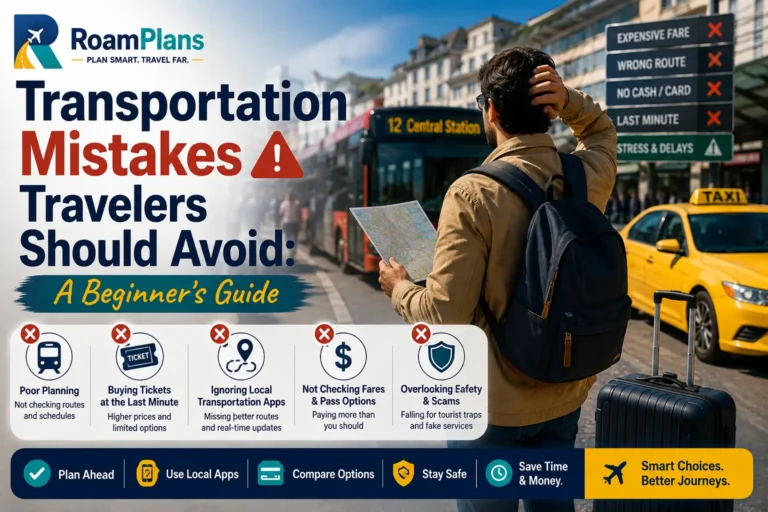
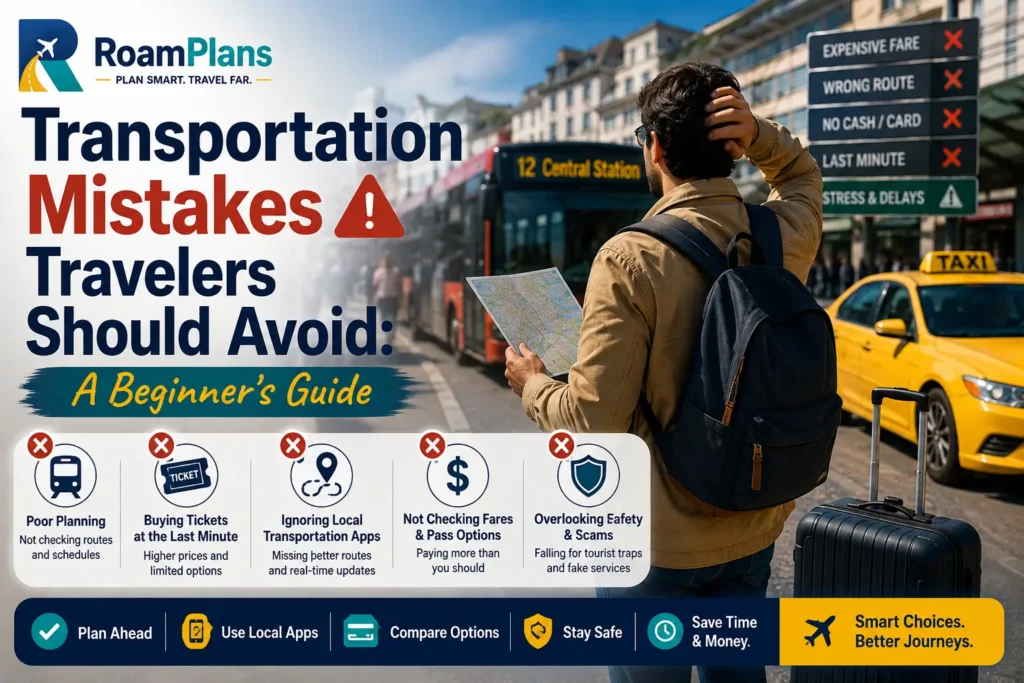
More planning errors are covered in Transportation Mistakes Travelers Should Avoid ↗.
Taxi, Uber, and Local Ride-App Checklist
Before the Trip
- ✓Uber availability checked
- ✓Local ride apps researched
- ✓Official taxi information saved
- ✓Airport pickup rules checked
- ✓Apps installed
- ✓Accounts verified
- ✓Payment cards added
- ✓Mobile data planned
- ✓Hotel address saved
- ✓Backup option prepared
Before Requesting a Ride
- ✓Pickup point confirmed
- ✓Destination confirmed
- ✓Terminal checked
- ✓Vehicle size selected
- ✓Child seat checked
- ✓Accessibility needs confirmed
- ✓Fare estimate reviewed
- ✓Surge pricing checked
- ✓Payment method checked
- ✓Phone battery checked
Before Entering
- ✓Driver name checked
- ✓Driver photo checked
- ✓Number plate checked
- ✓Vehicle model checked
- ✓Vehicle color checked
- ✓Passenger name confirmed
- ✓Destination confirmed
- ✓Seat belt checked
- ✓Luggage loaded safely
During the Ride
- ✓Seat belt worn
- ✓Route followed
- ✓Trip shared where useful
- ✓Valuables kept close
- ✓Off-app request refused
- ✓Unplanned stops checked
- ✓Safety concerns reported
- ✓Driver distractions avoided
After the Ride
- ✓Luggage collected
- ✓Seat checked
- ✓Receipt reviewed
- ✓Toll checked
- ✓Waiting fee checked
- ✓Tip checked
- ✓Card charge reviewed
- ✓Lost items reported quickly
- ✓Serious issue reported
- ✓Receipt saved
For Airport Travel
- ✓Correct airport selected
- ✓Correct terminal selected
- ✓Pickup level confirmed
- ✓Official zone followed
- ✓Flight time allowed for
- ✓Luggage capacity checked
- ✓Fixed taxi fare checked
- ✓App estimate compared
- ✓Late-night backup saved
For Rural Travel
- ✓App coverage checked
- ✓Local taxi number saved
- ✓Mobile signal checked
- ✓Return ride arranged
- ✓Price agreed
- ✓Waiting fee confirmed
- ✓Cash carried
- ✓Pickup landmark saved
- ✓Accommodation contact saved
Frequently Asked Questions
Uber may be better when you want route tracking, driver details, cashless payment, and a fare estimate. A licensed taxi may be better when you have no mobile data or need immediate pickup.
They can be safe when they are legal, widely used, and downloaded from an official app store. Check the driver, vehicle, number plate, route, and payment method before every ride.
It depends on the city, time, route, taxi fare, and app demand. A regulated taxi may cost less during surge pricing, while an app may cost less during normal demand.
No. Uber is restricted or unavailable in some countries and cities. Local ride apps or licensed taxis may be the main options.
Compare the official airport taxi fare with the app estimate. Also check pickup zones, waiting time, luggage, mobile data, and terminal access.
Some taxis accept cards, while others accept only cash. Ask before starting the ride and carry a backup payment method.
You normally need internet access to request the ride, contact the driver, and follow the route. Airport or hotel Wi-Fi may help, but mobile data is more reliable during pickup.
Use official taxi ranks, check licence markings, confirm the meter or fixed fare, and record the taxi number. Avoid drivers who approach you away from official areas.
Check the driver name, photo, vehicle model, color, and number plate. Ask the driver to confirm the passenger name.
Do not cancel without understanding the reason. A driver may be trying to move the ride outside the app. Use app support if the request seems unfair.
Card payment offers a digital record, while cash can help when foreign cards fail. Check the selected payment method before the ride.
Many apps allow this, but the driver should receive the correct passenger name and pickup details. Share the vehicle information with the traveler.
Local taxis may be available, but service can be limited. Pre-book the trip and arrange the return before leaving.
Open the trip receipt, collect screenshots and route details, contact the app or taxi company, and request a written review.
Final Thoughts
In short, Taxis, Uber, and local ride apps can all be useful abroad.
A traditional taxi may be the easiest option at an official airport rank or when you have no internet. Uber may work better when you want a clear booking, driver details, route tracking, and digital payment. A local app may offer better coverage or lower prices in places where Uber is less common.
Compare the full cost before choosing. Check the fare, tolls, airport fees, waiting charges, payment method, and pickup location.
Safety should come before price. Verify the driver, number plate, vehicle, and destination before entering. Use official taxi ranks, keep app rides inside the platform, and share the journey when useful.
Keep another transport option ready for cancellations, weak mobile coverage, rural routes, and late-night travel. A few checks before each ride can help you avoid fake drivers, wrong charges, missed pickups, and unsafe situations.

Adnan Ahmed
RoamPlans AuthorTravel Planning Researcher & Editor
Adnan Ahmed is the travel planning researcher and editor behind RoamPlans. He creates clear, practical guides to help travelers compare destinations, plan routes, estimate costs, and avoid common trip-planning mistakes. His work combines careful source research, official travel information, and regular content reviews to keep each guide useful and current.
- ✓Destination Research
- ✓Budget Planning
- ✓Route Planning
- ✓Beginner Travel Guides


Turn This Guide into a Practical Trip Plan
Use the recommended Transportation Cost Calculator or explore more free RoamPlans tools.